Screening
This page walks screening from a subject with nothing run yet through to a recorded decision. It describes what you see and click at each point.
For the legal requirement behind it, see Customer due diligence. This page is the product walkthrough.
Where screening happens
Screening runs on the CDD review, alongside identity verification and on the same subject. You reach it from the CDD step of onboarding, or from the CDD tab on a matter.
The step subtitle is "Verify, then screen", and that is the order within it. Screening a name against watchlists is more accurate once you know the date of birth and the identity details, which is why the identity work comes first.
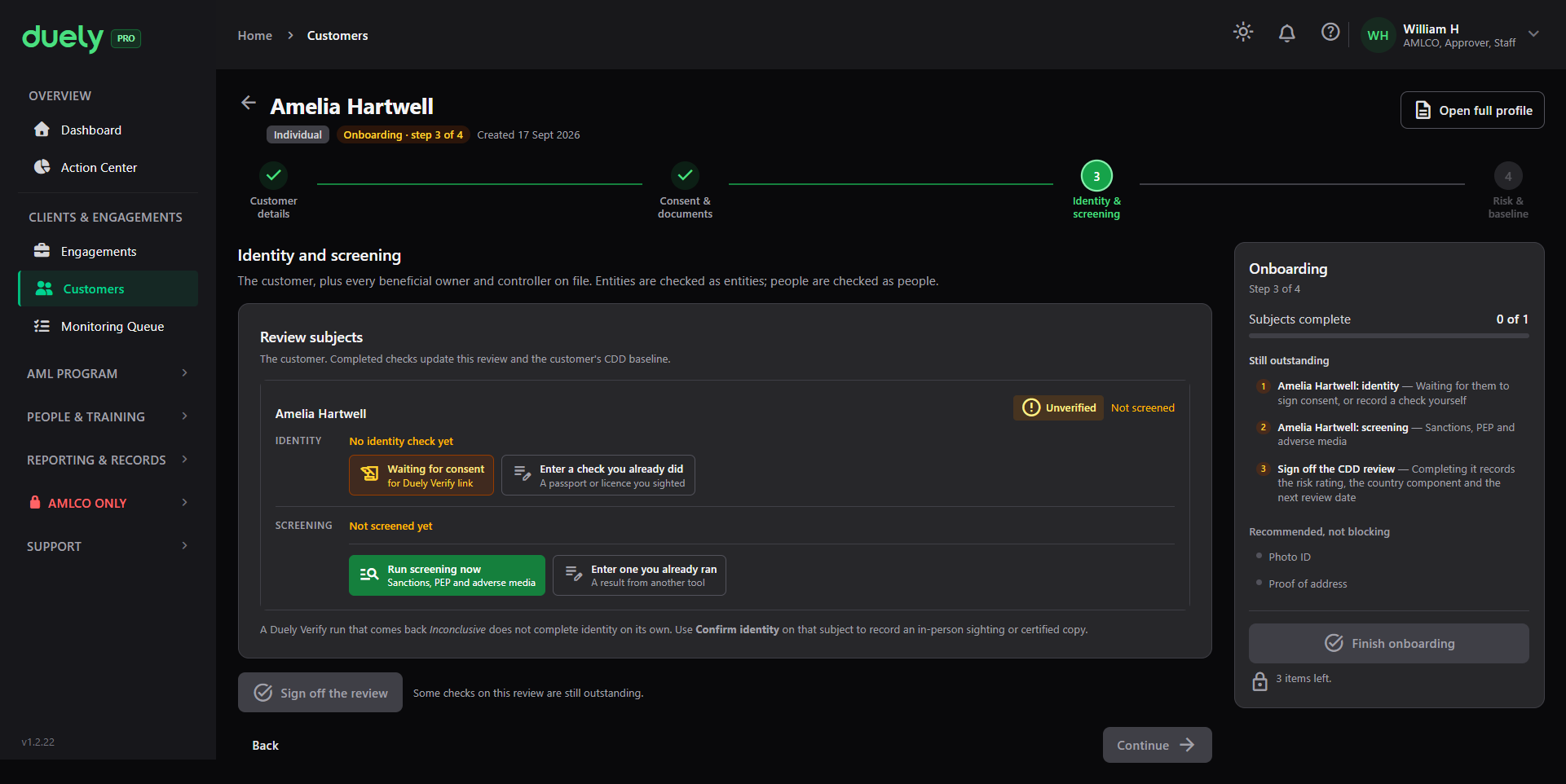
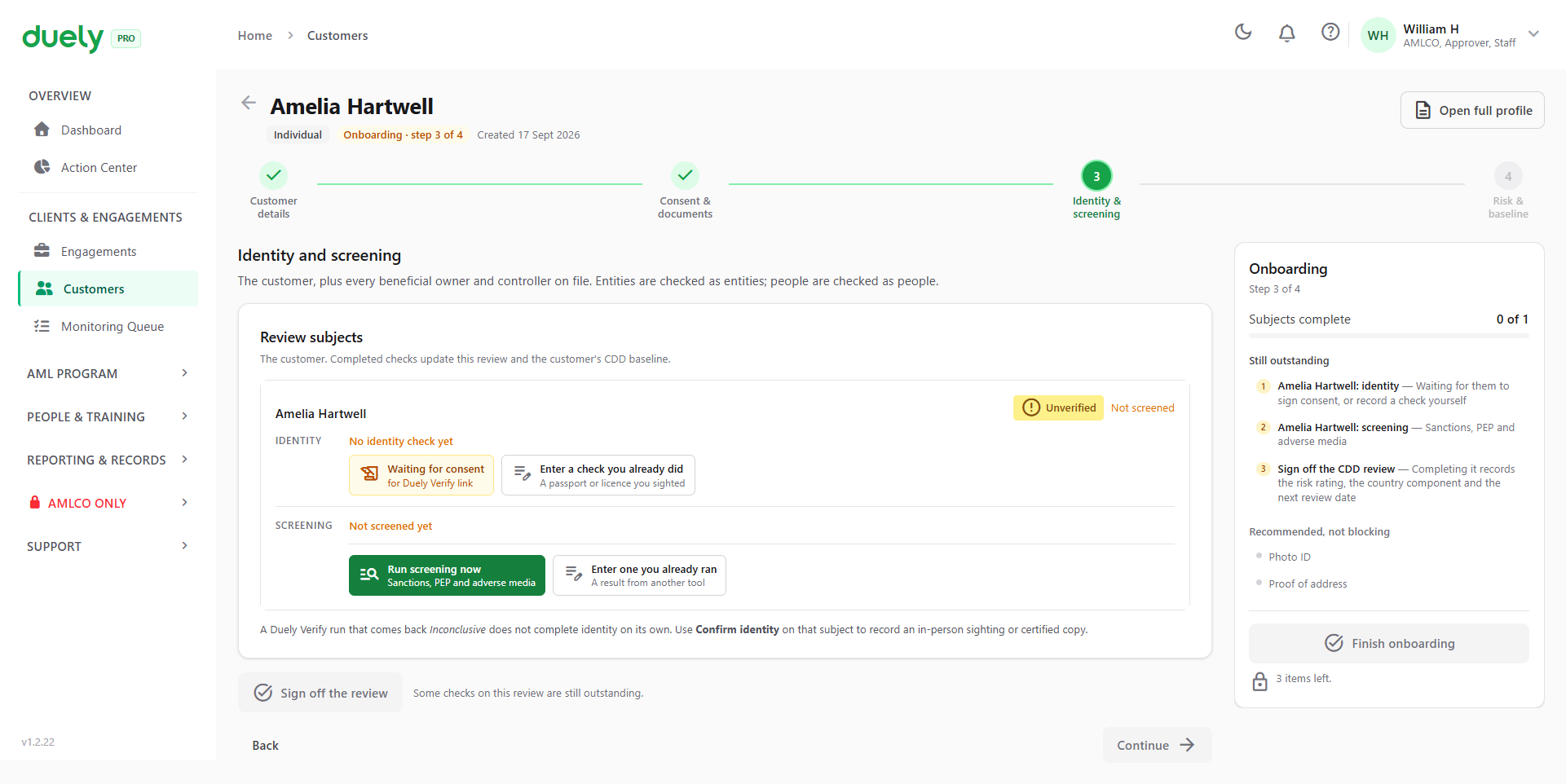
On a subject with nothing done, the screening half reads Not screened, with the buttons to change that:
- Run screening now, where your firm has the feature, which checks the subject against sanctions, politically exposed person and adverse media sources
- Enter one you already ran, for a screening you did elsewhere
Both paths record against the same subject, so a mix of the two across different subjects on one review is fine.
Running a screening
Run screening now sends the subject's details to the screening provider and brings back any candidate records. Each candidate is labelled with one of five categories:
- Sanction, meaning a person or entity designated for targeted financial sanctions
- PEP, a politically exposed person, meaning someone entrusted with a prominent public function, and their family members and close associates
- Criminal, meaning a criminal watchlist record
- Adverse media, meaning news or other reporting that may be relevant to the risk
- Other, for a record that fits none of the above
A run moves through several states. Two affect what you can do:
- Pending, meaning an outcome still has to be recorded
- Pending review, meaning the provider returned candidates that a person has to decide on. The run cannot complete while any candidate is still pending. That gate makes screening a review task rather than a pass or a fail
Working a match
A candidate is not a finding. The provider matches names, and names match people who are not your customer. That is the normal case, and the adjudication step exists to record the difference.
Each candidate is decided one of two ways:
| Decision | Meaning | Who can record it |
|---|---|---|
| False positive | This record is not the customer | Any user with compliance access |
| True match | This record is the customer | Approvers only |
A rationale is required for every decision, and it is capped at 2000 characters.
A true match requires an approver. If you do not have that role, the product refuses with a forbidden response rather than quietly accepting the decision. The screening screen admits any user with compliance access, but the true match decision and what follows from it are gated.
Each candidate is decided once
Once a candidate is decided it cannot be decided again. Trying returns a conflict rather than overwriting. A run that is not awaiting review also refuses further decisions.
If two people work the same run
The product tracks concurrent changes on a screening run. If someone else changed it since you loaded it, saving is refused with a message telling you to refresh and try again.
That protects both reviewers. Without it, the second save would silently overwrite the first person's decision, and the record would show one decision where two were made.
Recording a screening you ran elsewhere
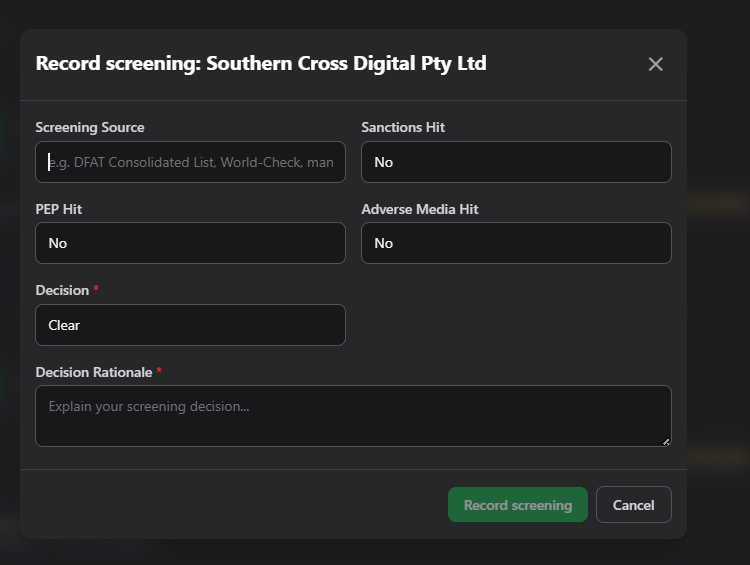
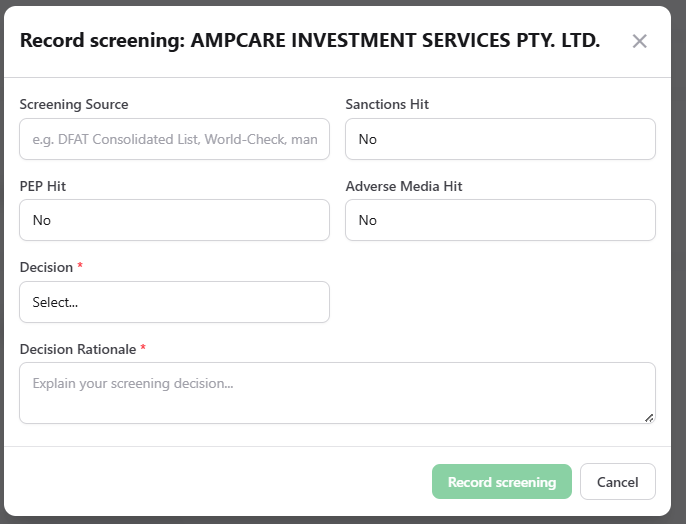
Enter one you already ran opens the screening dialog. Use it when the check happened outside Duely, whether through another service or by hand.
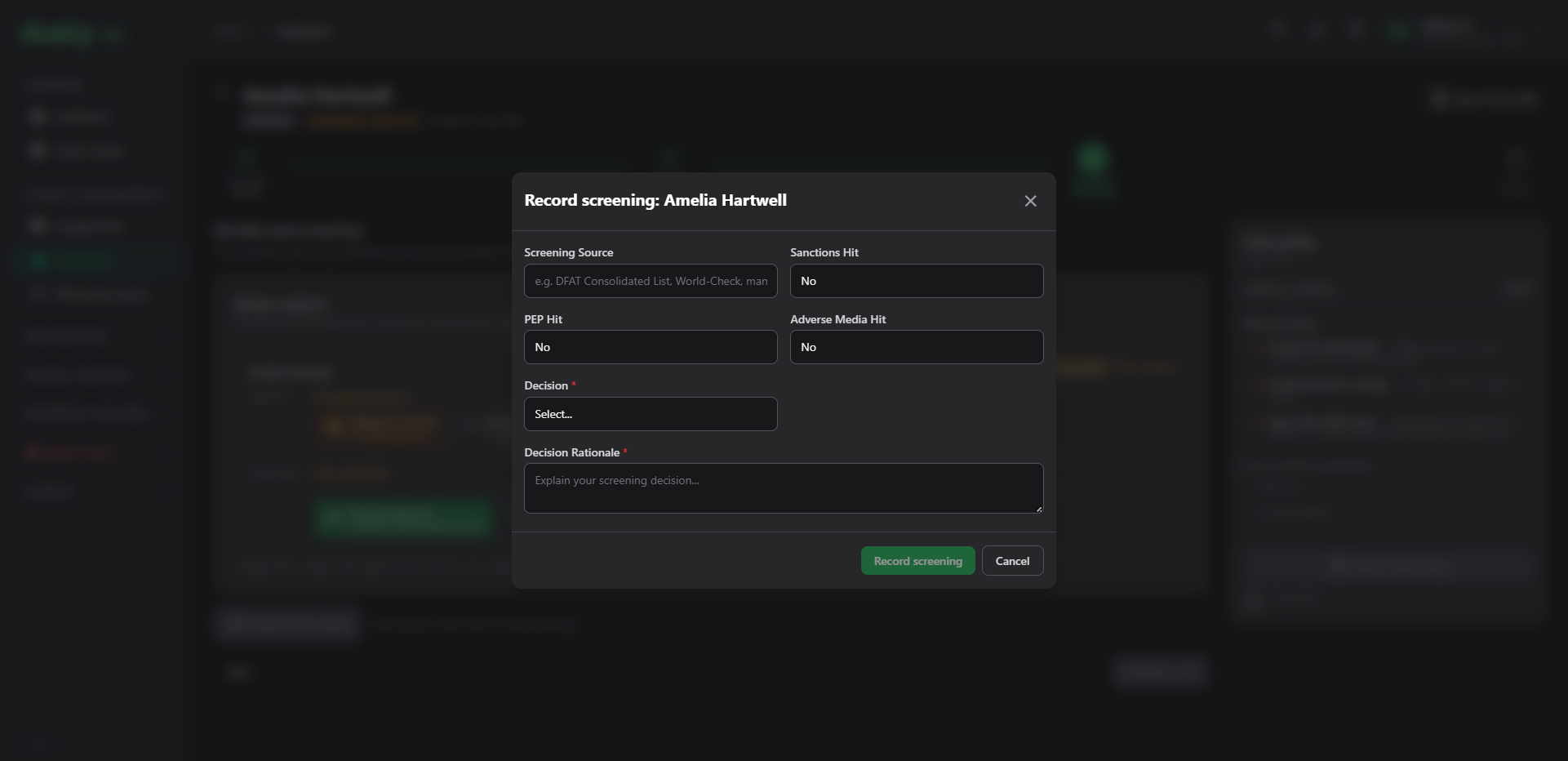
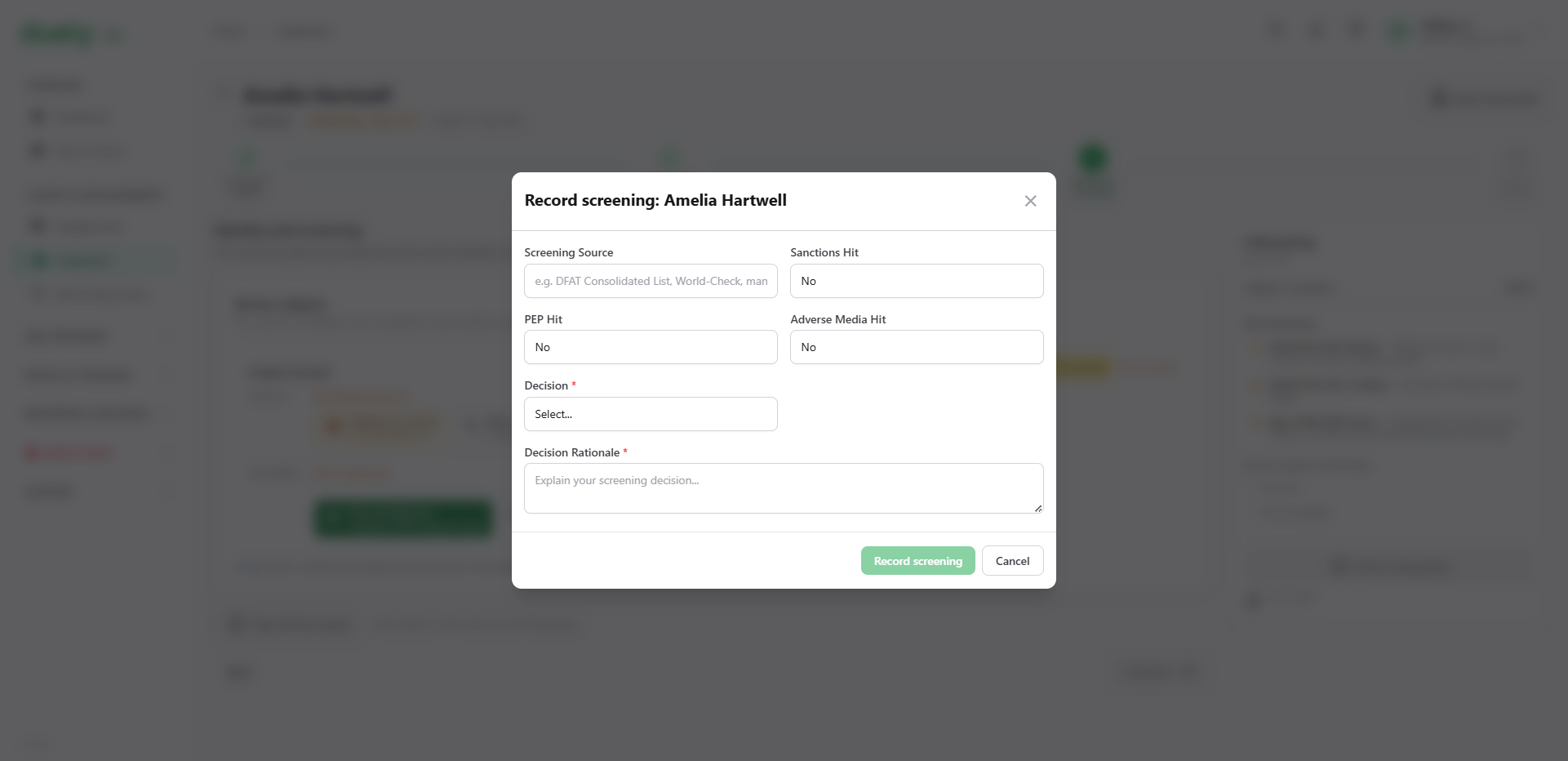
You record:
- Screening source, the list or service you checked against, so the record shows where the answer came from
- Sanctions hit: No, Yes or Unknown
- Politically exposed person hit: No, Yes or Unknown
- Adverse media hit: No, Yes or Unknown
- Decision, which is required: Clear, False Positive, True Match or Escalate
- Decision rationale, which is required
The hit fields are separate from the decision on purpose. A hit is what the source returned; the decision is what you concluded about it. Recording a hit and then a decision of Clear is a normal combination, as long as the rationale says why.
For the company example, the entity and its corporate owner are screened as separate subjects, each with its own dialog and its own record.
Prior false positives
Where a candidate matches a record that was already decided as a false positive on an earlier run, the product can dismiss it automatically rather than asking a reviewer to reach the same conclusion again.
The dismissal carries the original decision forward: the date, the person, and the rationale from the first time, plus a pointer to the original record. A reviewer therefore sees when and why it was dismissed, not merely that it was.
This helps when the same name is screened again two years later and nobody remembers the reasoning. It also means a carried-forward dismissal is still a recorded decision with a named person and a stated reason behind it, rather than a silent pass.
Reading the result afterwards
Once the review is signed off, the CDD review shows the screening outcome for each subject.
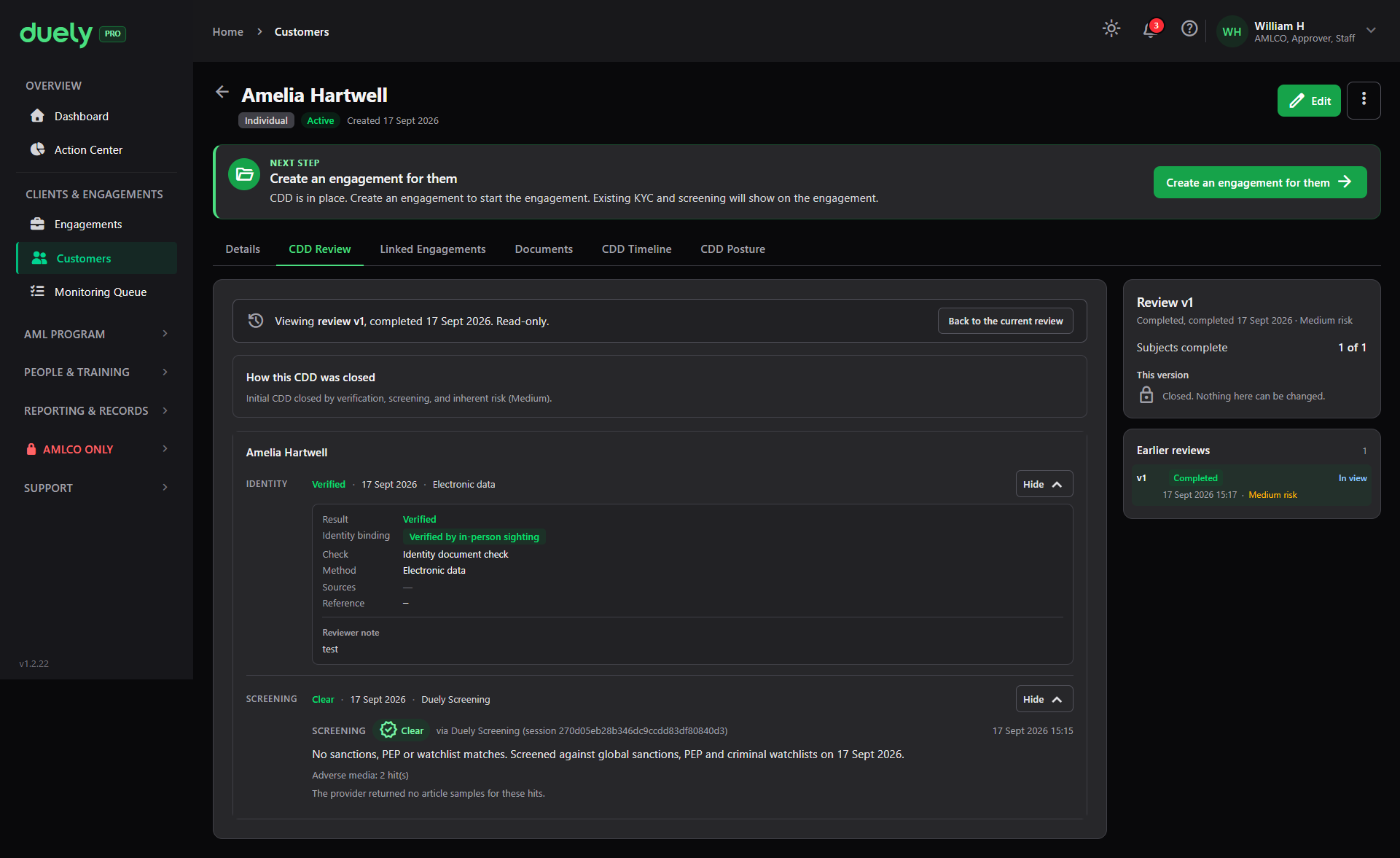
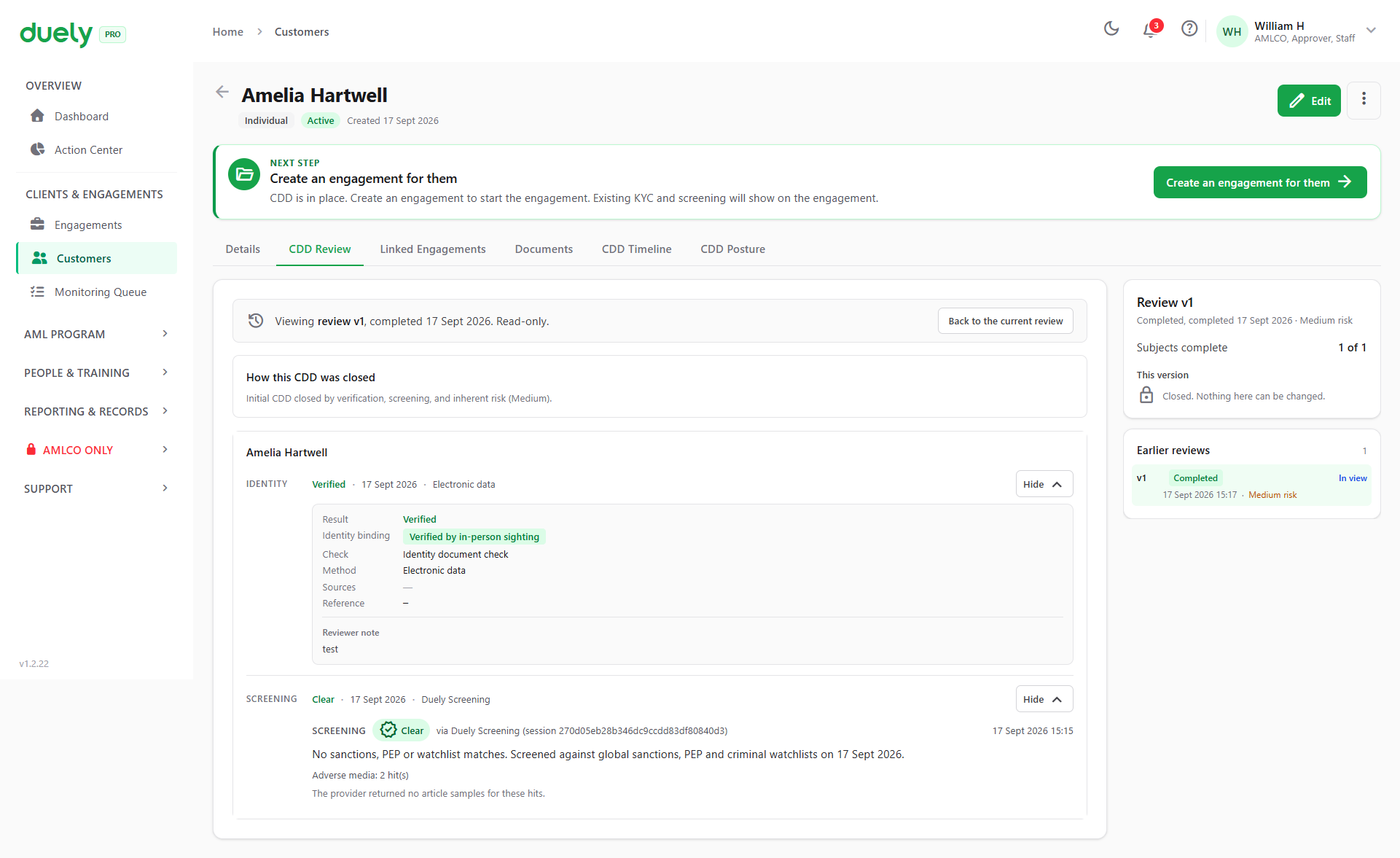
The screening block shows the decision, the date it ran, the source, and a plain statement of what was checked, such as that the subject was screened against global sanctions, politically exposed person and criminal watchlists on a given date. Where the provider returned hits without usable detail, the record says so rather than leaving a blank.
At the top, How this CDD was closed records the summary, such as that the review closed on verification, screening and an inherent risk rating.
When there is a match
What follows a confirmed match depends on what was matched:
- Sanctions. The screen shows "This customer cannot proceed and the AMLCO has been notified." Any sanctions hit on an engagement also forces an enhanced due diligence case, whatever the risk rating.
- Politically exposed person. The screen shows "Enhanced due diligence has been opened." The engagement can proceed only once that case is resolved.
- Adverse media or another category. Record it and continue. The engagement proceeds on a risk assessment that accounts for the match, and a High rating triggers enhanced due diligence.
- Raise an unusual activity report. Where the match gives rise to a suspicion, that is the route to a suspicious matter report. See Filing a report.
Rescreening and when it is needed
A customer needs a new screening where:
- The customer's circumstances change in a way that affects the risk, such as a change in ownership or control
- The verification or screening baseline expires
- A re-scope adds a designated service that was not previously in scope for the engagement, and the customer's baseline has expired or gone stale. Where the baseline is current, it is relied on and the trigger is logged for audit
Where a subject has already been screened, the subject card offers Run screening again rather than making you start a new review.
How screening affects completion
Screening sits inside the CDD review, so it gates the same things identity does.
| Situation | Effect |
|---|---|
| A subject has no screening outcome | Holds the review open |
| A candidate is still pending review | The run cannot complete until every candidate is decided |
| A true match, recorded without approver rights | Refused |
| A false positive with a rationale | Accepted, and the run can complete |
| Screening decision recorded | Counts as an outcome, whether the decision is Clear or not |
| Every subject verified and screened, review signed off | Baseline created: risk rating, country component, next review date |
Related pages
- Customer due diligence, for the obligation to establish sanctions and politically exposed person status.
- Verifying identity, the other check on the review.
- Filing a report, for what follows a confirmed match.
- Roles and permissions, for the approver role a true match requires.