Using the Program Builder
The program builder is a guided wizard that produces your firm's AML/CTF program. It is at Program Builder in the sidebar, under the AML Program group.
For what a program must contain and why, see Build your program. This page is the walkthrough.
The wizard has three steps
The steps are named in the interface as:
- Risk Assessment
- Personnel & Governance
- Client Due Diligence
A step rail runs down the left, the questions for the current section fill the centre, and the policy text your answers are generating appears on the right. On most screens you can edit that policy text directly with the pencil control, so the wording is yours rather than fixed.
Step 1: Risk Assessment
Seven sections. This step establishes the risk your firm reasonably faces, and it is the groundwork the rest of the program rests on.
| Section | What it asks |
|---|---|
| Designated Services | Which designated services your firm provides under Tranche 2 |
| Additional Services | Services you offer that are not designated services |
| Customer Types | The types of customers your firm typically engages |
| Delivery Channels | How services are delivered to customers |
| Technologies | The technologies and platforms used in service delivery |
| Risk Factors & Appetite | ML/TF risk factors, and your firm's risk appetite |
| Countries & Jurisdictions | The geographic areas and jurisdictions your firm operates in |
Designated Services
The rest of the wizard depends on this section. It lists the AUSTRAC regulated professional services, taken from the tables in s 6 of the AML/CTF Act 2006, and you tick the ones your firm provides. Each entry carries a risk tag, such as High or Medium, and an information control explaining what the service covers.
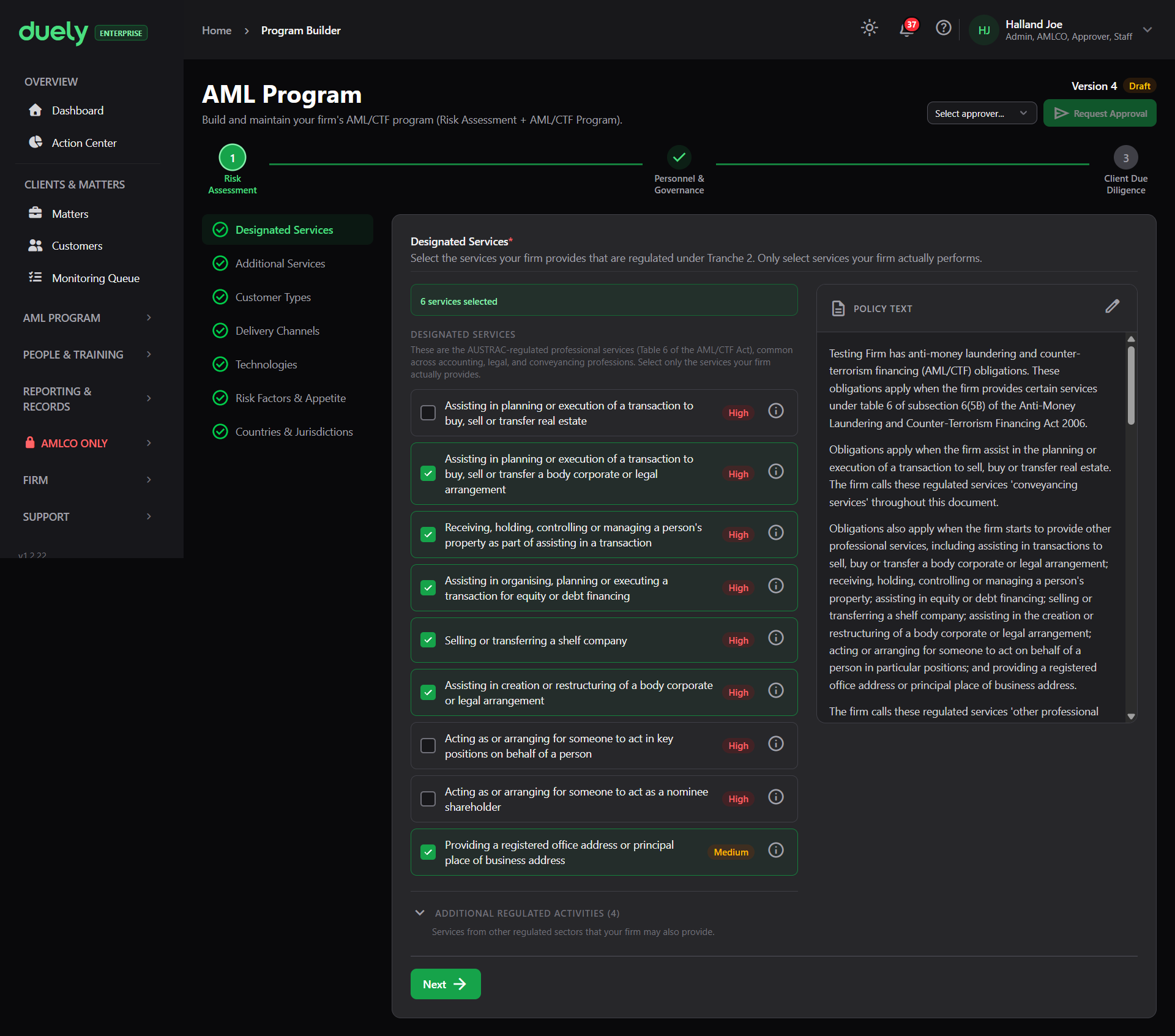
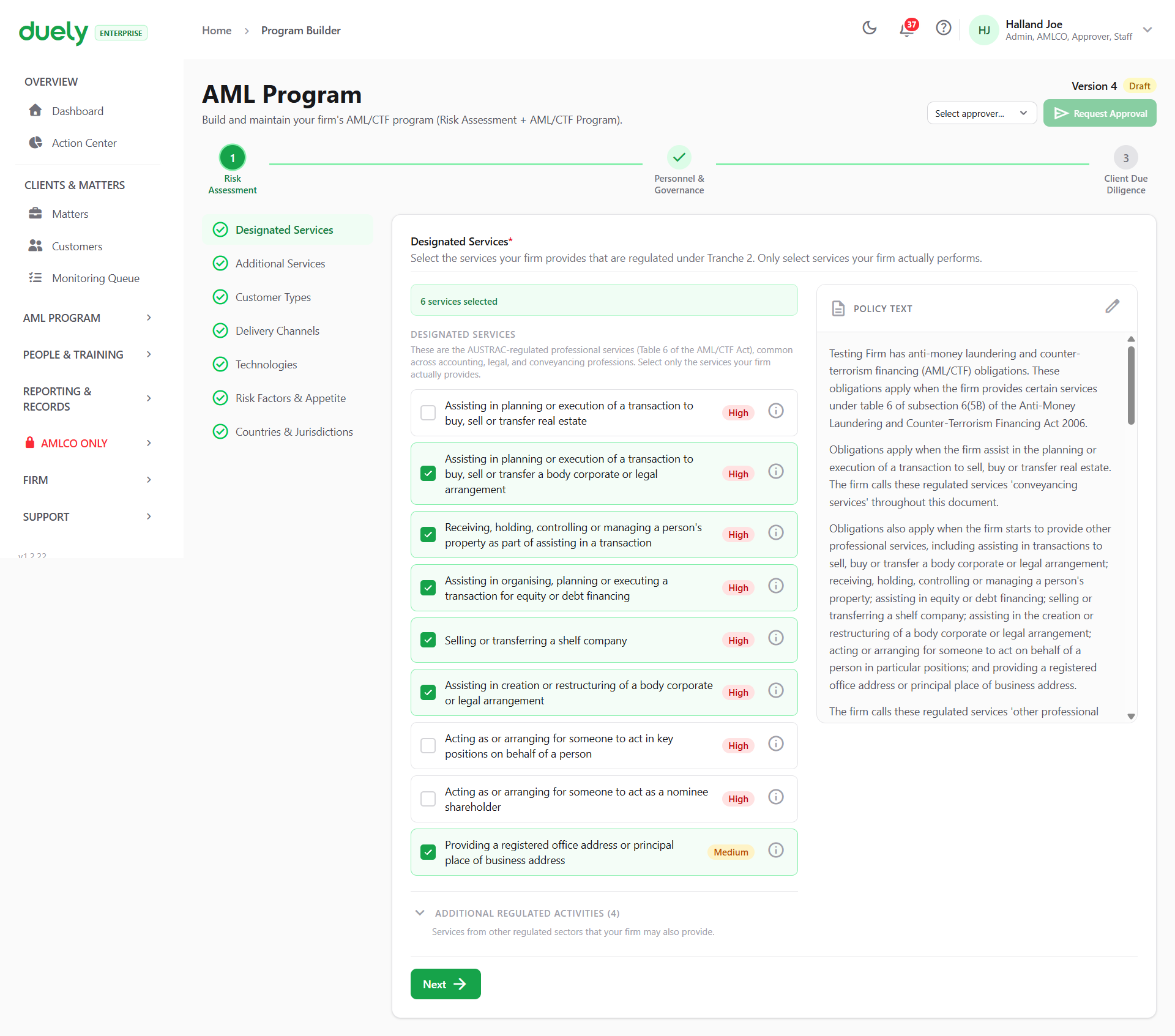
What you tick here propagates in two directions. The program's CDD sections are generated from it, and the services available to classify when you scope a matter come from the same list. Understate it and you get a program that does not cover the work you do, and a scoping step where the right service cannot be selected.
An Additional regulated activities expander sits at the bottom of the screen, for services from other regulated sectors your firm may also provide.
Additional Services
Anything you enter here stays out of AML/CTF scope. There is no CDD and no risk assessment attached to it. It is recorded so the audit trail shows the full picture of what the firm does, and so a reader can see a service was considered and deliberately excluded rather than missed.
This section is not required. A firm with no services beyond its designated ones is not blocked from approval by leaving it empty. If a service is a designated service, it belongs in the first section: putting it here would record it as out of scope.
Customer Types
The types of customer your firm typically engages, each with a risk tag. The options cover individuals and sole traders, body corporate, trust, partnership, association, government body, and charity or not-for-profit, and each carries a Show details control explaining who it covers.
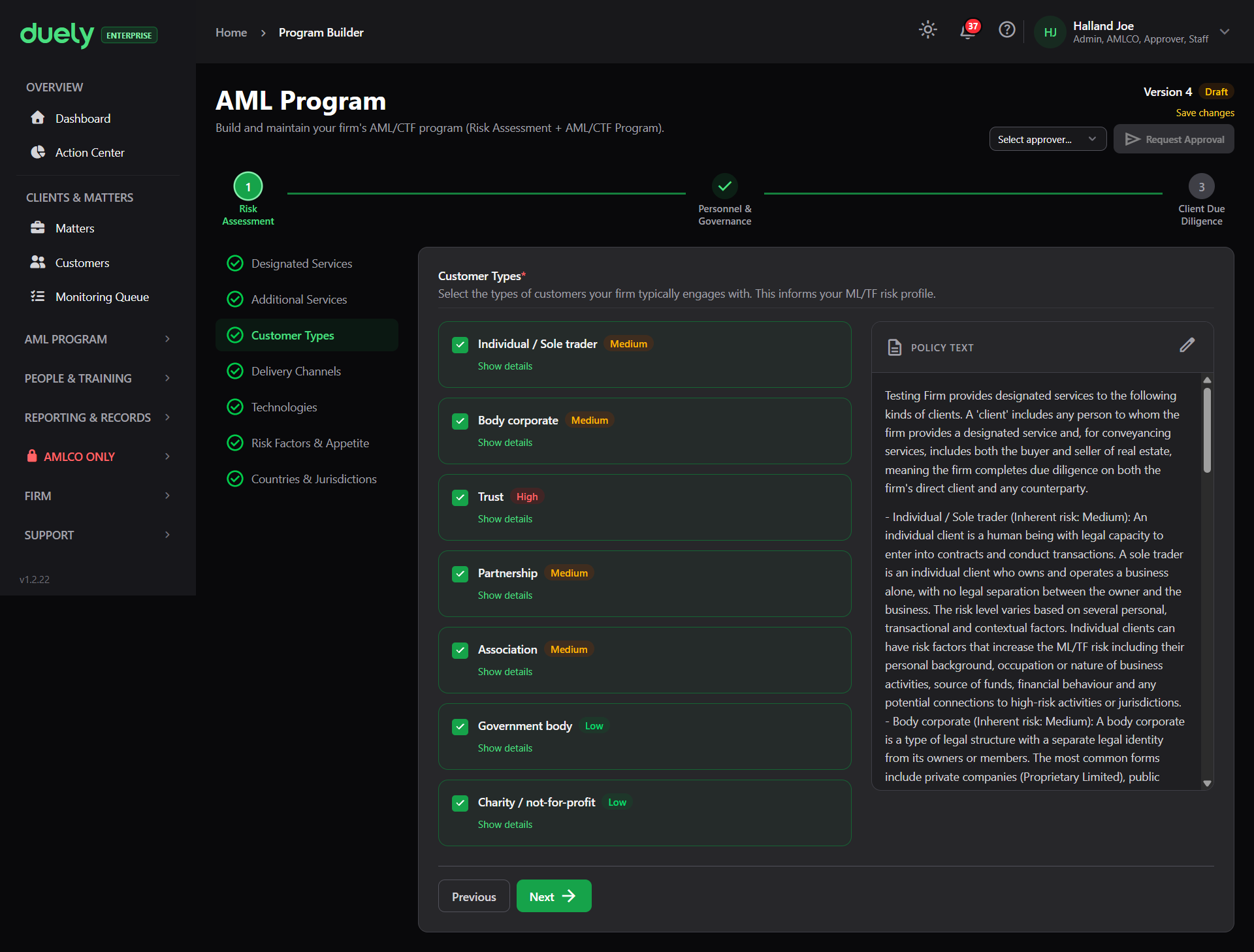
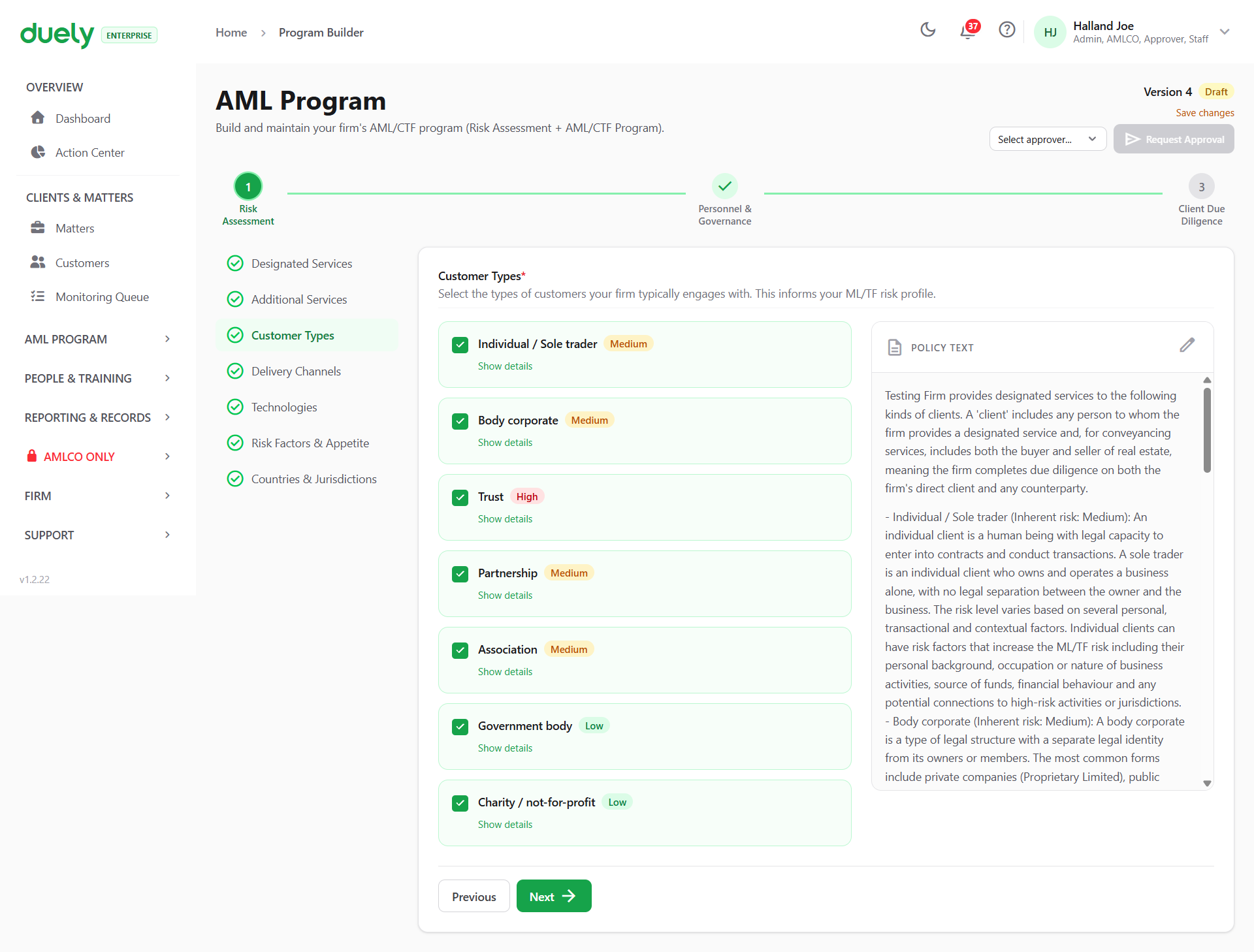
This section is required. Selecting a customer type here makes the corresponding questions appear when you reach the CDD step.
Delivery Channels, Technologies and Countries & Jurisdictions
Three sections with no screenshot in this knowledge base yet, described here from the product.
- Delivery Channels asks how services are delivered to customers, which is the face-to-face, remote and digital mix your firm works through
- Technologies asks about the technologies and platforms used in service delivery, which covers the systems that hold customer data and the tools customers interact with
- Countries & Jurisdictions asks about the geographic areas your firm operates in, which is the country risk input
All three are required, and all three feed the generated risk assessment and the CDD sections.
Risk Factors & Appetite
This is where you set how much risk your firm is prepared to accept, factor by factor. The factors are grouped into Service Risk Factors, Customer Risk Factors and Delivery Channel Risk Factors, and each individual factor shows a read-only inherent risk badge (High, Medium or Low), an Accept risk? YES/NO toggle, and a Show details explanation.
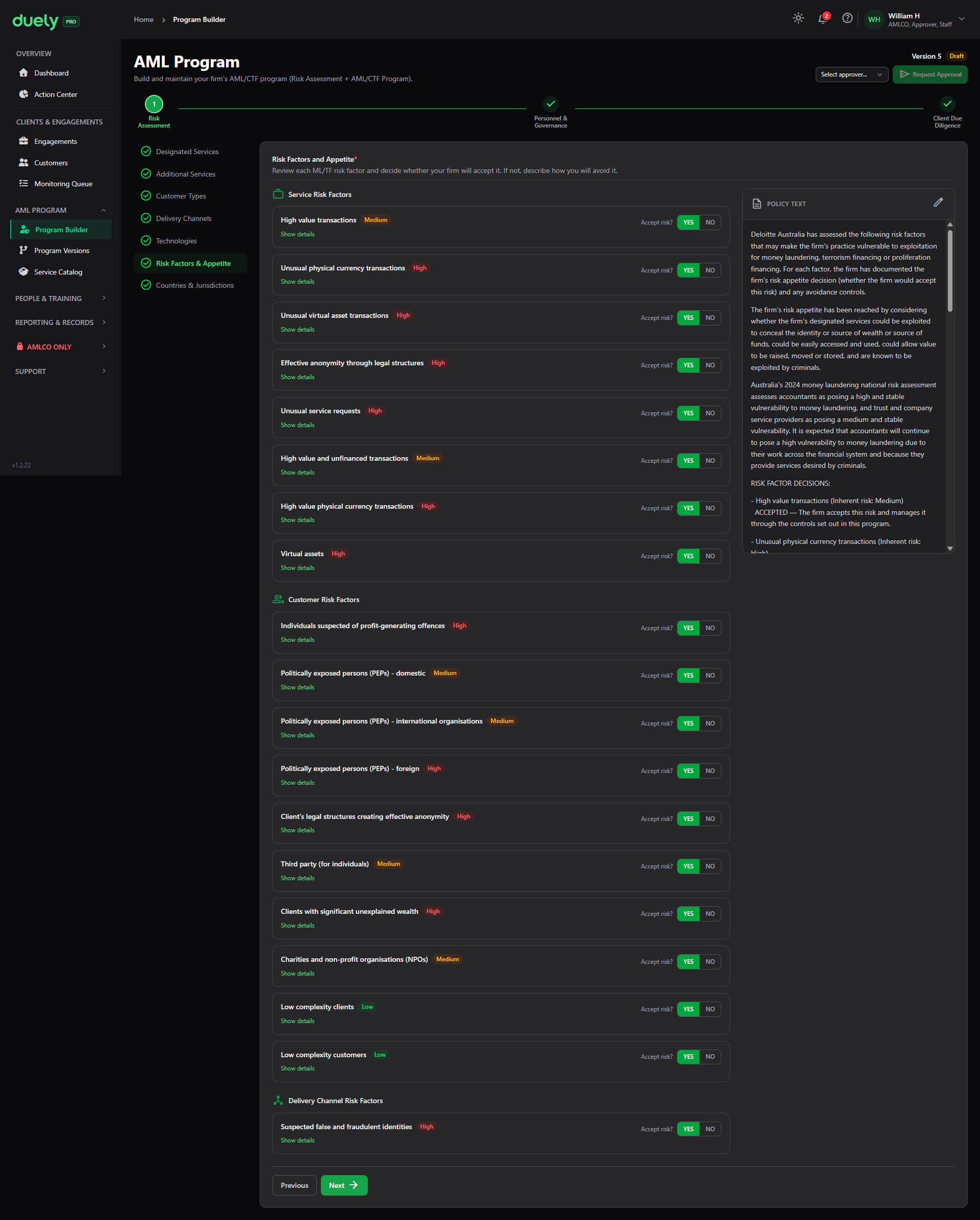
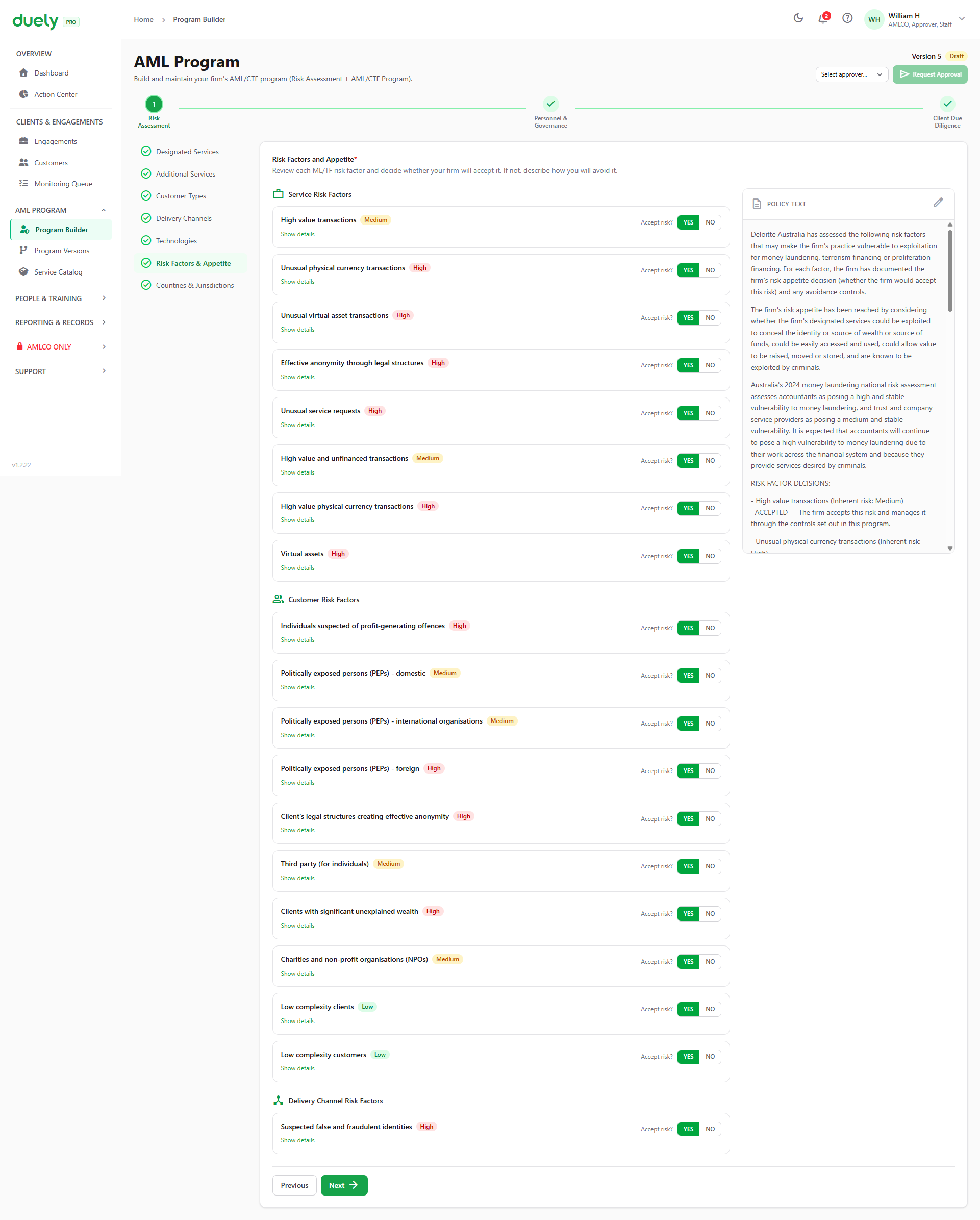
The risk factors include service factors such as high value transactions and unusual virtual asset transactions, customer factors such as politically exposed persons, charities and low complexity clients, and delivery channel factors such as suspected fraud. The risk level on each factor is fixed. What you set is whether the firm accepts that risk. Choosing NO makes How will you avoid this risk? mandatory for that factor. Those YES and NO answers are the firm's stated appetite, and they are what the program holds you to.
Step 2: Personnel & Governance
Two sections, both about who is responsible for what.
Roles & Responsibilities
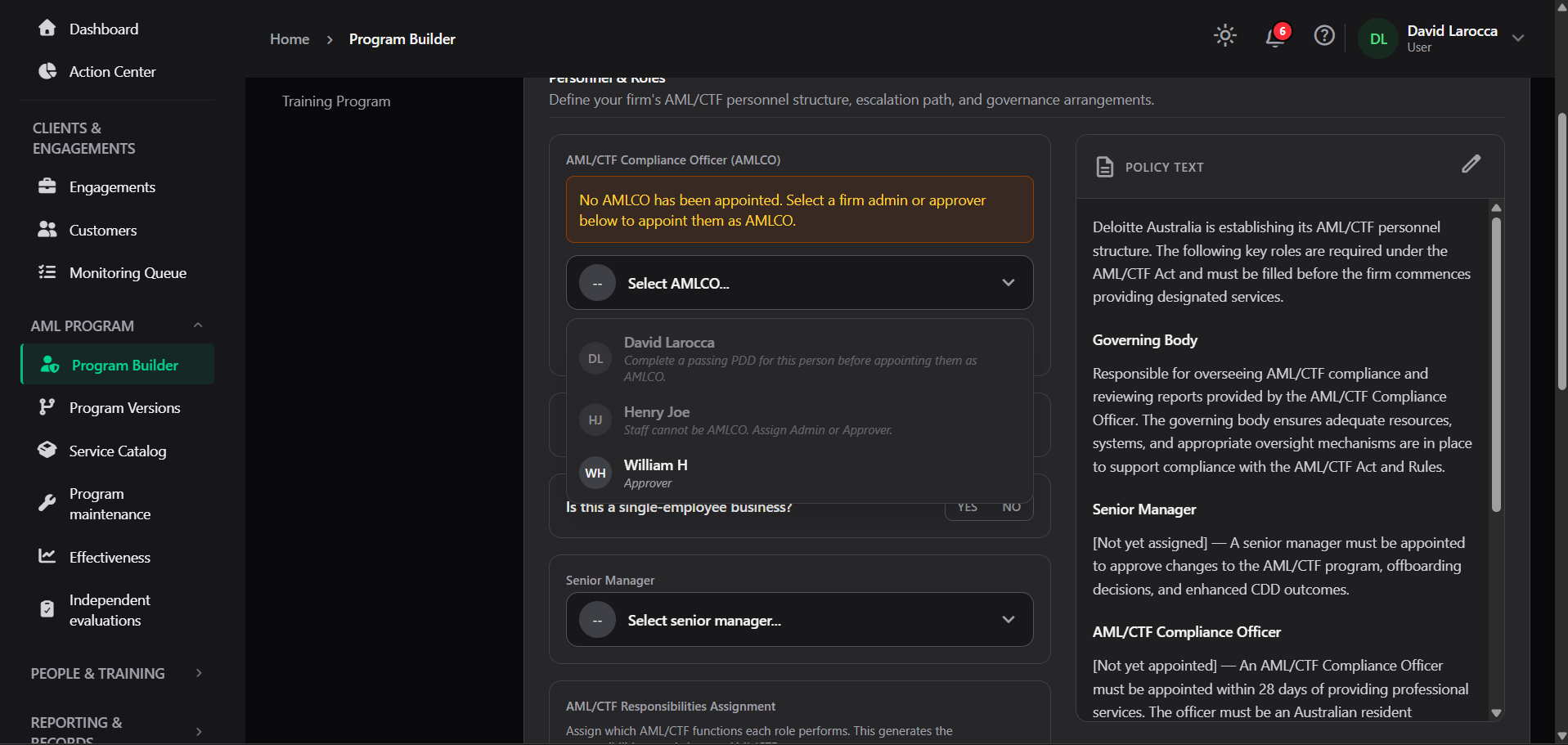
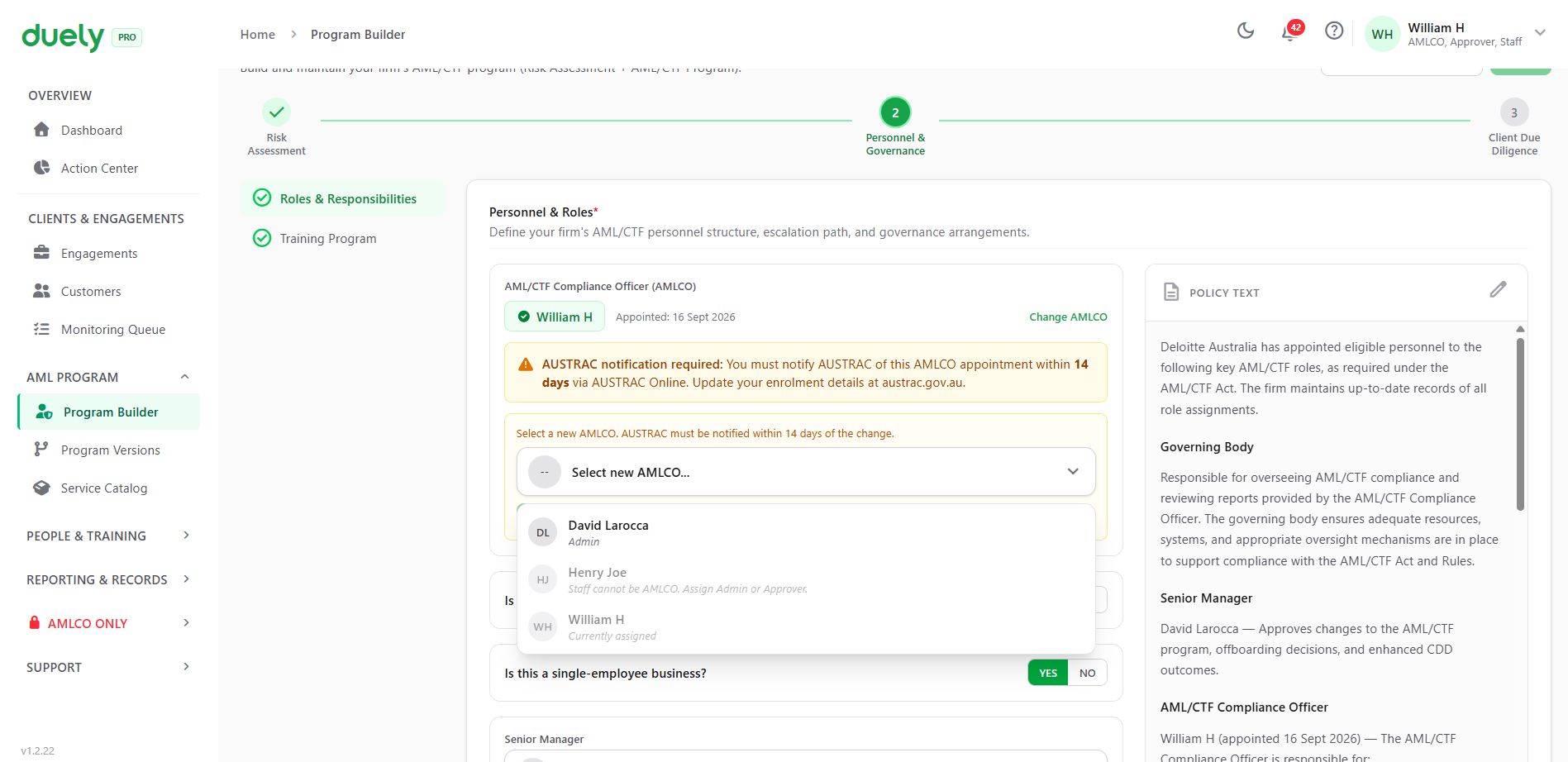
This section defines the firm's AML/CTF structure. Working down the screen:
- AML/CTF Compliance Officer: the person appointed, with a Change AMLCO control
- An AUSTRAC notification warning directly under the appointment, reading that AUSTRAC requires notification of the AMLCO within 14 days, through AUSTRAC Online. The warning also points out that the enrolment details need to be up to date. See Appoint your AMLCO for the obligation
- Is your AMLCO also the governing body or principal, and is this a single employee business, both yes or no
- Senior Manager, the person responsible for approving changes to the program and retaining the decisions
- AML/CTF Responsibilities Assignment, a matrix assigning each function to the AMLCO, the Senior Manager, or CDD Staff. The functions run across Initial CDD, Ongoing CDD, Enhanced CDD, Screening, SMR preparation, TTR preparation, personnel due diligence on others, training delivery, and program review
- Escalation Path, a choice between Staff to AMLCO to Principal, Staff to AMLCO to Board, or a custom path
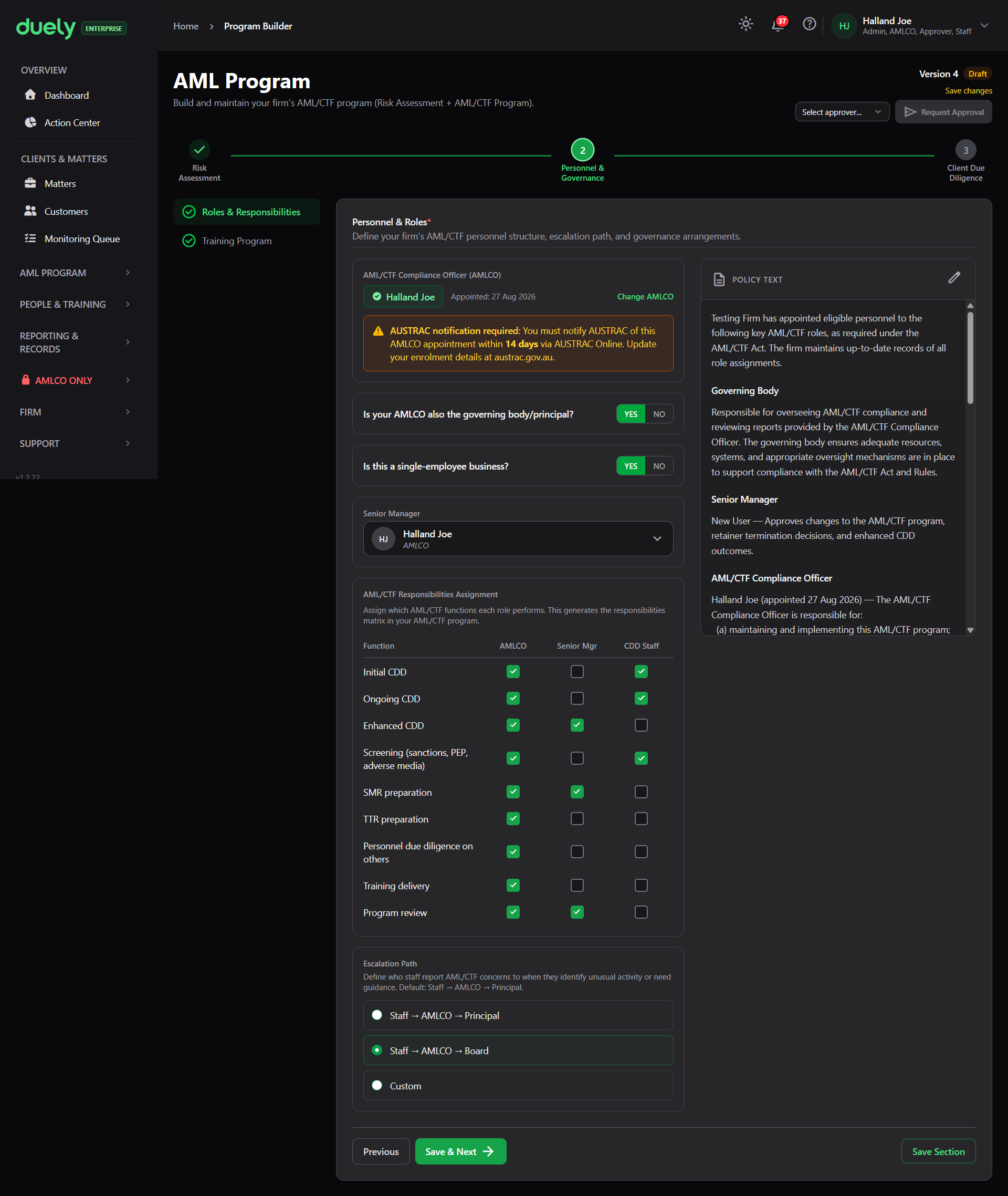
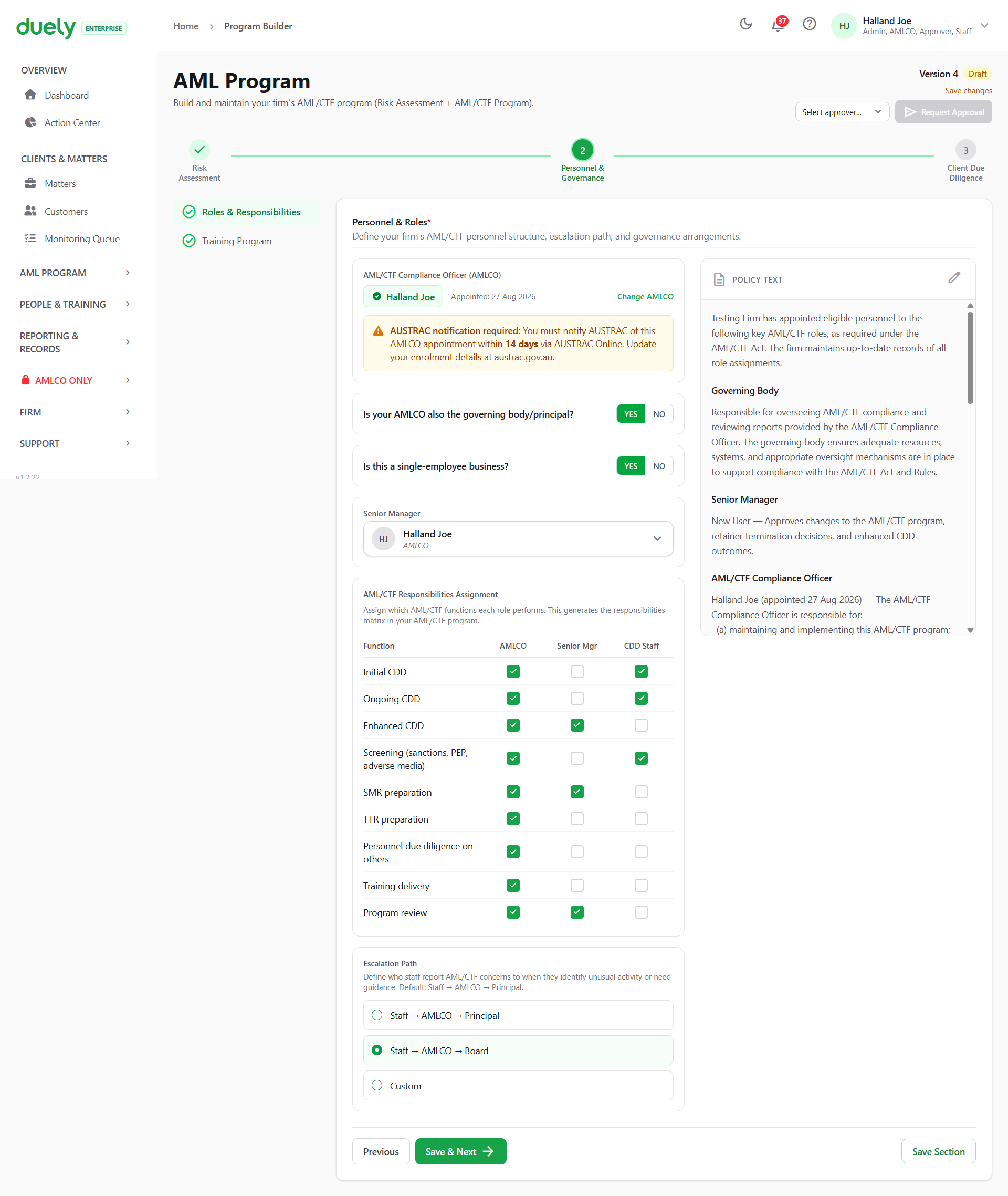
Completing this section requires an AMLCO to be appointed. That is the gate the rest of the wizard depends on.
When you open the officer picker, members who cannot be appointed are shown disabled with the reason stated rather than being hidden, so you can see why someone is unavailable.
For which roles the product lets you select, see Roles and permissions. The appointment rule and the roles rule are two different things and both apply.
Training Program
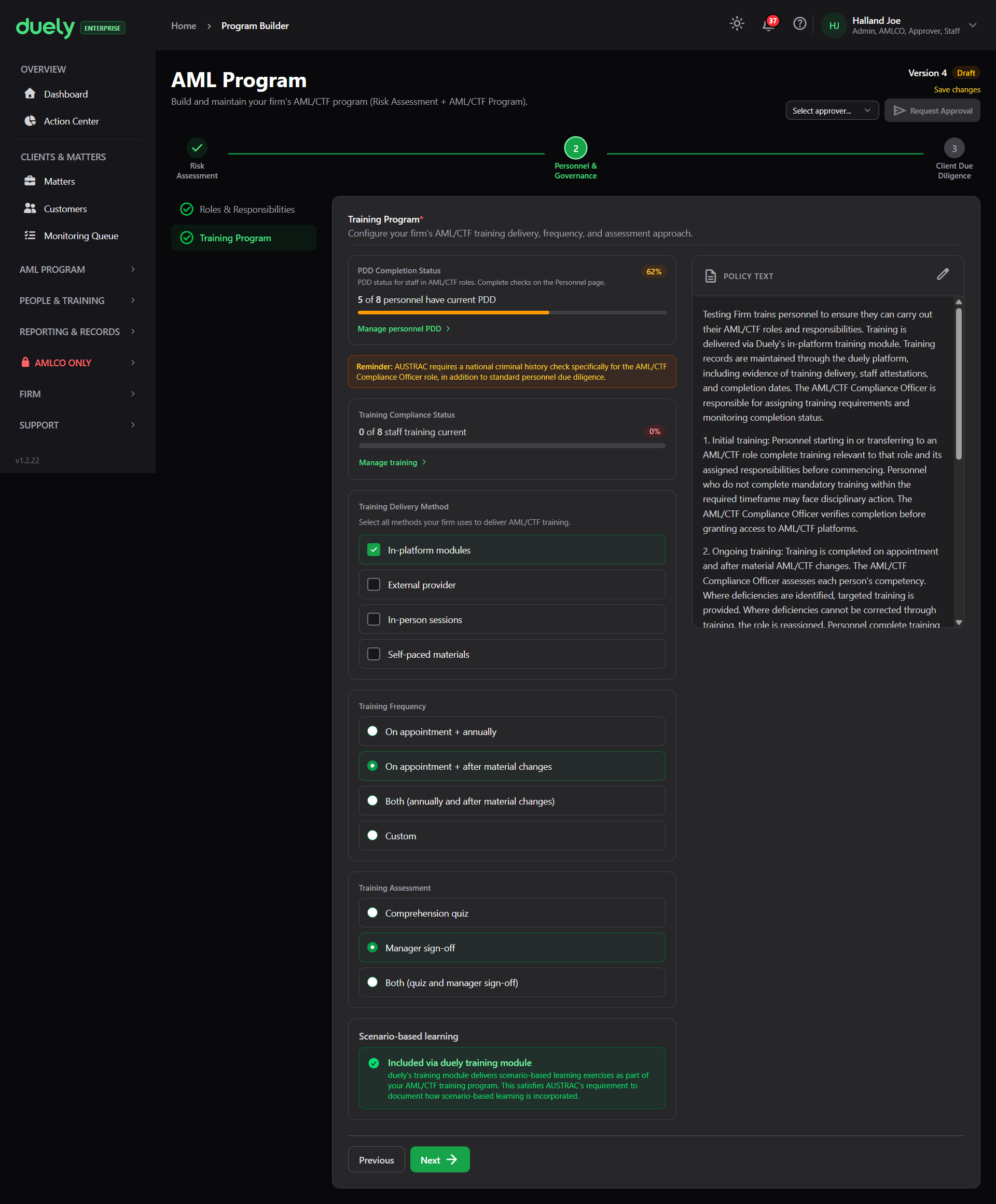
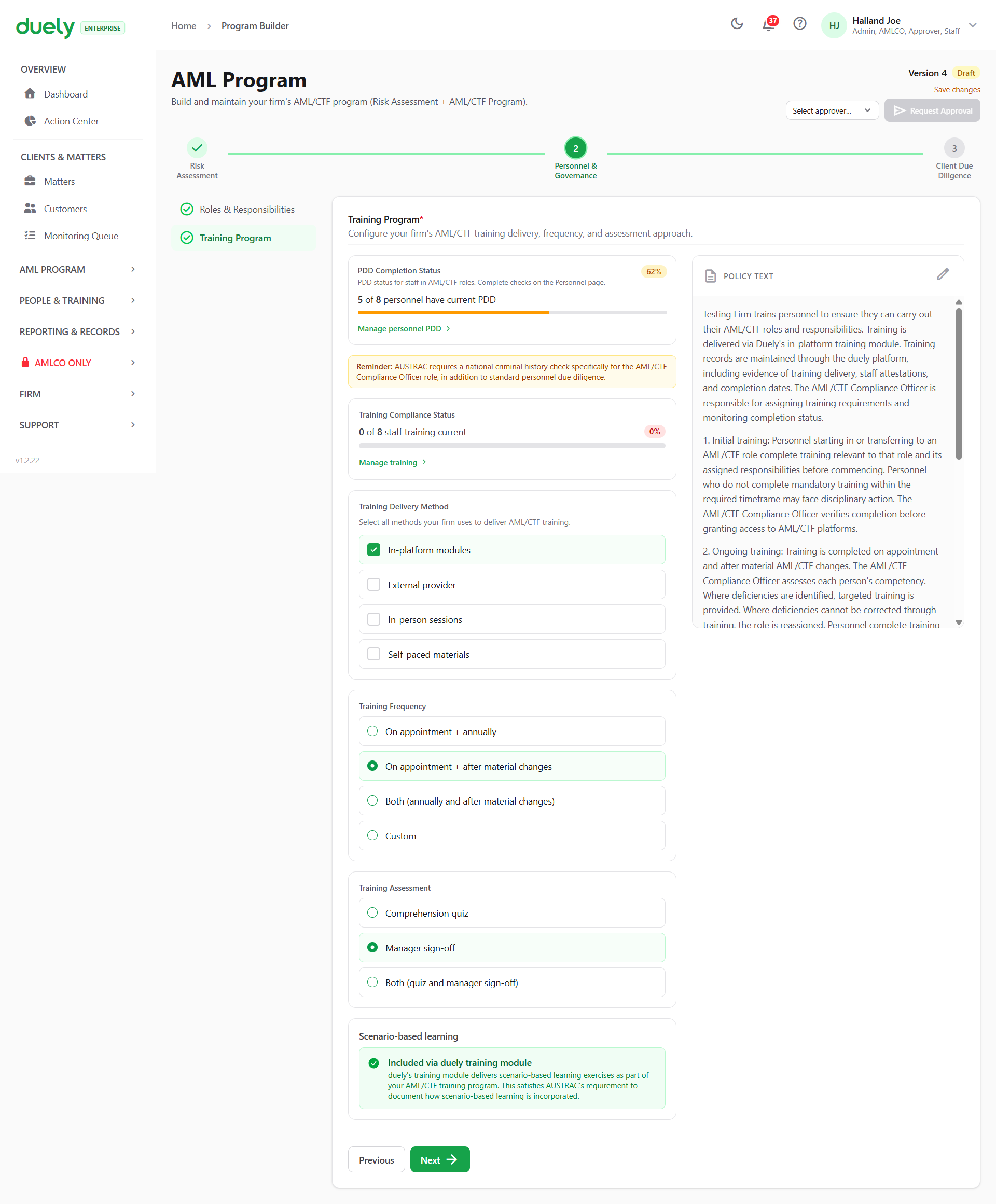
This section configures how the firm trains its staff. Working down the screen:
- PDD completion status, showing how many personnel have completed their due diligence, with a Manage personnel PDD action
- Training compliance status, showing how much of the firm's training is current, with a Manage training action
- Training delivery method, multi-select, across in-platform modules, external provider, in-person sessions and self-paced materials
- Training frequency, across on appointment and annually, on appointment and after material change, both, or custom
- Training assessment, across a comprehension quiz, manager sign-off, or both
- Scenario-based learning, which is included with the in-platform modules
The obligation behind this section, including who has to be trained and what the training must cover, is on Staff training.
Step 3: Client Due Diligence
Five sections take user input, Tipping Off is information only, and one is a review screen. This step writes the procedures your firm follows when dealing with customers.
| Section | User input | What it covers |
|---|---|---|
| Initial CDD | Required | How you identify and verify customers before acting for them |
| Ongoing CDD | Required | Your ongoing customer monitoring approach |
| Escalation & ECDD | Required | Escalation triggers and enhanced due diligence procedures |
| Reporting | Optional, defaults from Firm Settings | AUSTRAC reporting, and how reports are escalated |
| Tipping Off | Nothing to enter | The s 123 offence and how Duely isolates suspicious matter information |
| Offboarding | Required | Your policy for customers who fall outside your risk appetite |
| Preview & Download | Nothing to enter | Review the full program and download the PDF before requesting approval |
Initial CDD
There is no screenshot for this section yet, so here it is from the product. It covers how your firm identifies and verifies customers before acting for them. That means the identity data you collect, how you verify it, and the customer types it applies to, which is why the customer types you selected in Step 1 shape what appears here.
For the legal requirement, see Customer due diligence.
Ongoing CDD
This section sets how often customers are reviewed, by risk level, and how often screening is refreshed. Both are set as a number of months.
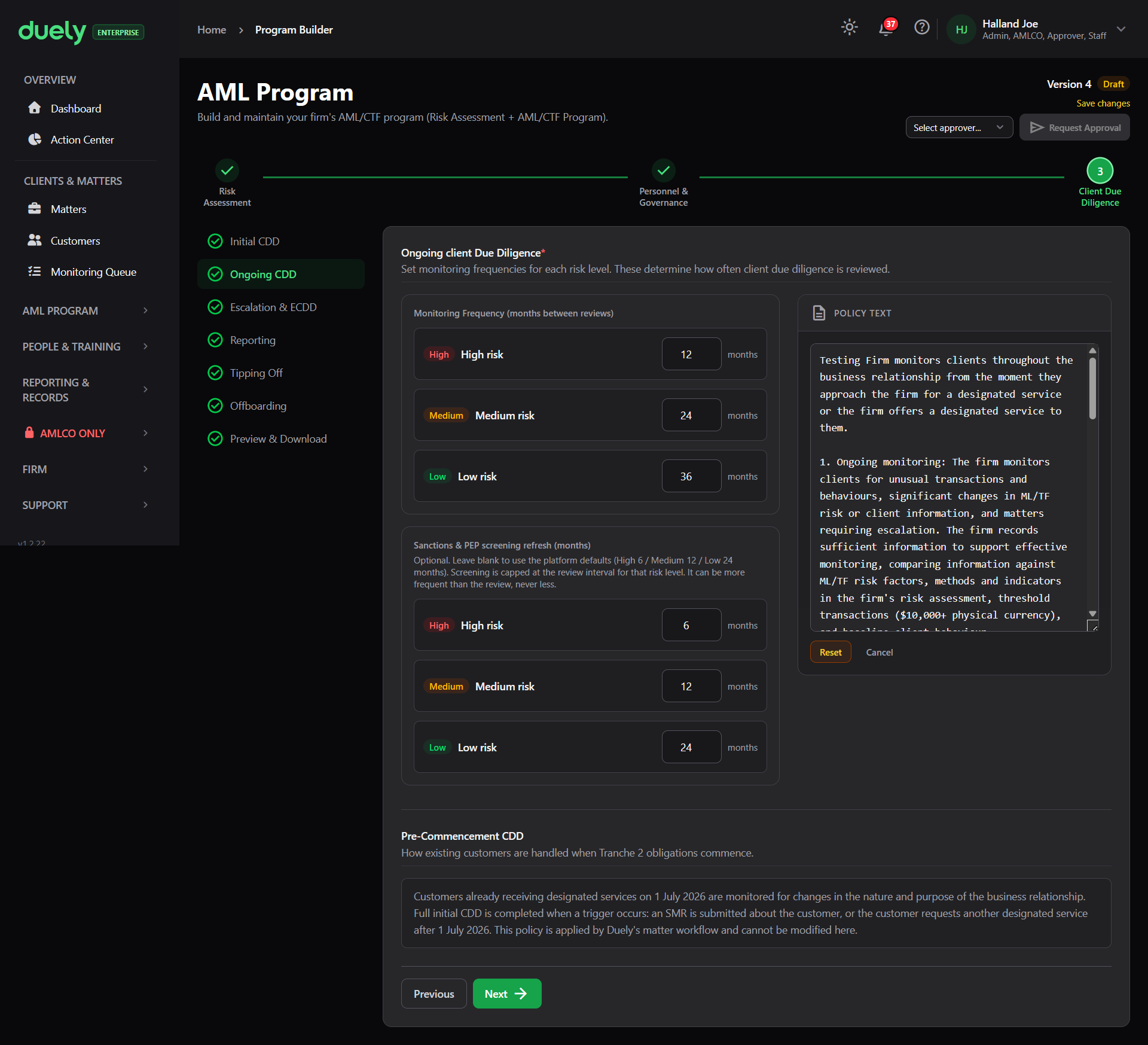
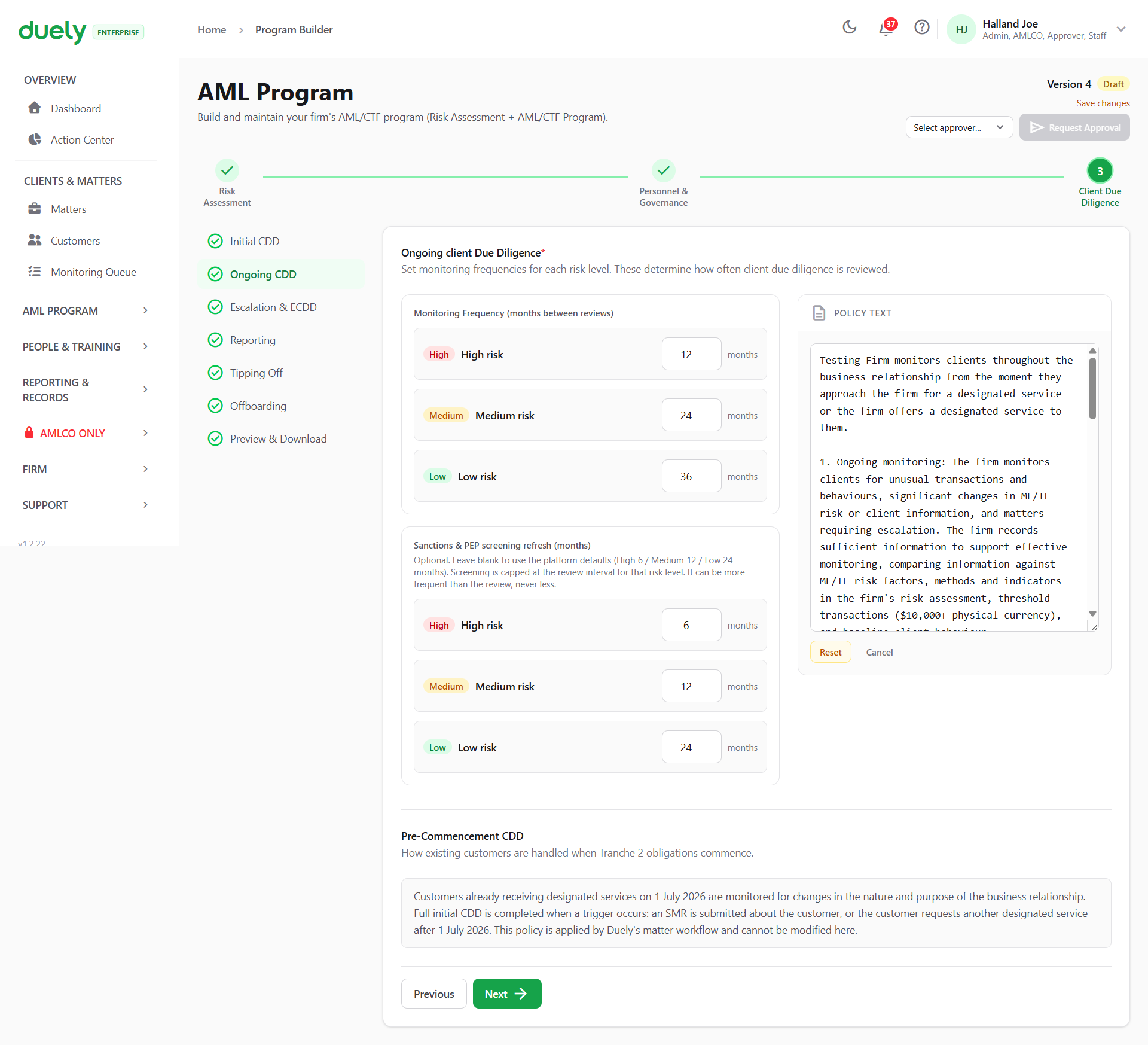
Monitoring frequency: how often client due diligence is reviewed for each risk level. In the screenshot the defaults are 12 months for high risk, 24 for medium and 36 for low.
Sanctions and PEP screening refresh: a second set of intervals, and the section notes that leaving them blank uses the platform defaults, which are 6, 12 and 24 months. It also notes that the screening interval is capped at the review interval for that risk level, so screening can be more frequent than the review but never less.
Pre-commencement CDD appears at the bottom of the screen as read-only. It records how customers already receiving designated services when the obligations commence are handled, and the screen states that this policy is applied by the product's matter workflow and cannot be modified.
Escalation & ECDD
No screenshot yet, so from the product: this section defines the triggers that escalate a customer or engagement, and the enhanced due diligence procedures that follow. It is where the firm states what makes it treat a customer as higher risk and what it then does about it.
Reporting
This section configures which AUSTRAC report types apply to your firm, and states who submits them. It is optional: the TTR and CBM toggles start from your firm's reporting settings on Firm Setup, and the section counts as complete without any changes.
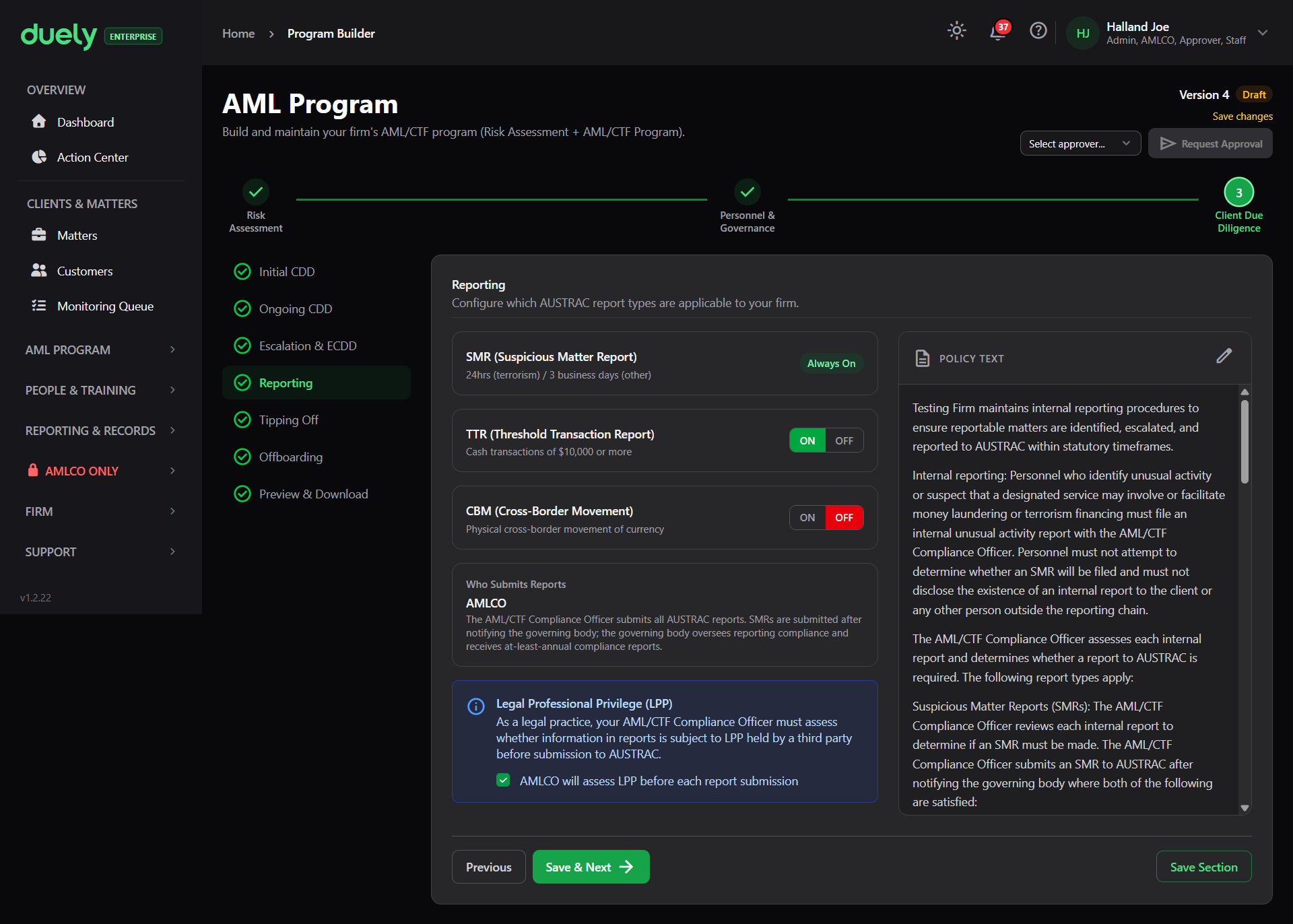
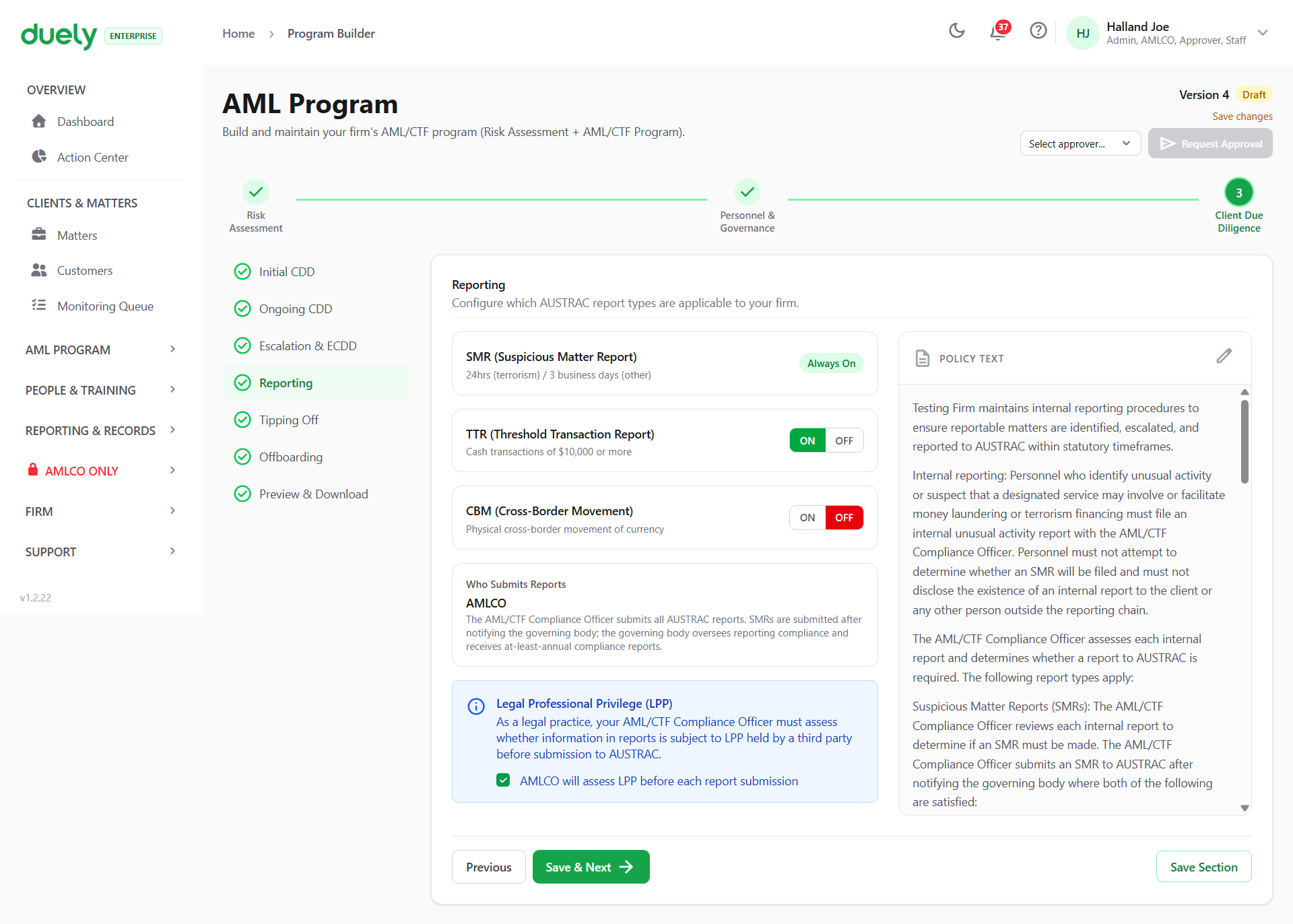
The three report types appear as toggles:
- SMR (Suspicious Matter Report), marked Always On and not adjustable, with the note that the deadline is 24 hours or 3 business days
- TTR (Threshold Transaction Report), switchable, described as cash transactions of $10,000 or more
- CBM (Cross-Border Movement), switchable, described as physical cross-border movement of currency
Below the toggles, Who Submits Reports states that the AML/CTF Compliance Officer submits all AUSTRAC reports, and that SMRs are submitted after notifying the governing body.
A Legal Professional Privilege (LPP) panel follows, noting that where the firm is a legal practice its compliance officer must assess whether report information is subject to privilege held by a third party before submission. The obligation is on Reporting.
Tipping Off
This section has nothing for you to enter. It records the s 123 tipping off offence and how Duely isolates suspicious matter information, and it is stated as fact rather than asked as a question. The offence itself is on Reporting.
Offboarding
No screenshot yet, so from the product: this section sets the firm's policy for customers who fall outside its risk appetite. There are three choices: offboard them, offboard them with senior manager approval, or a custom policy that you describe.
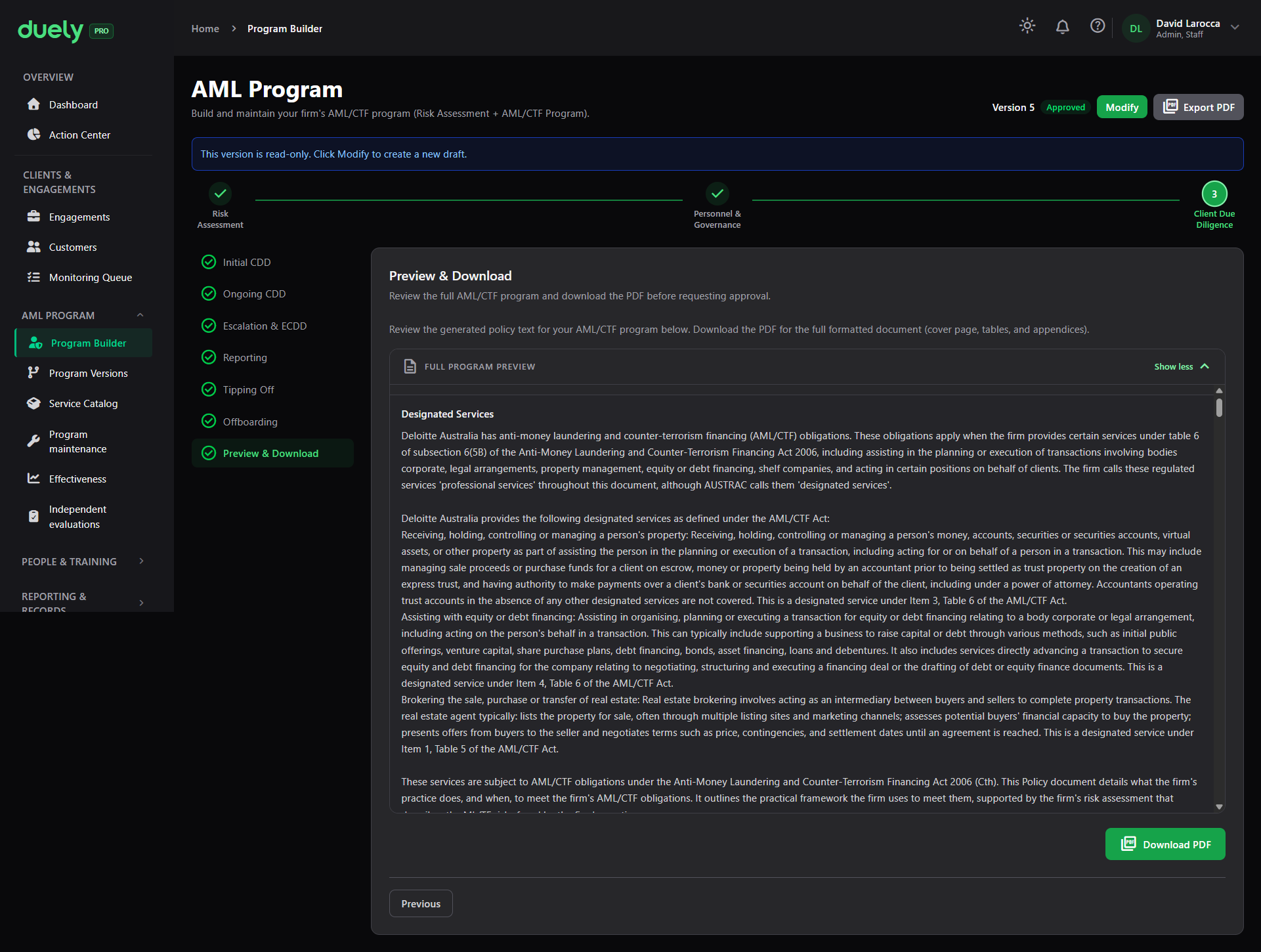
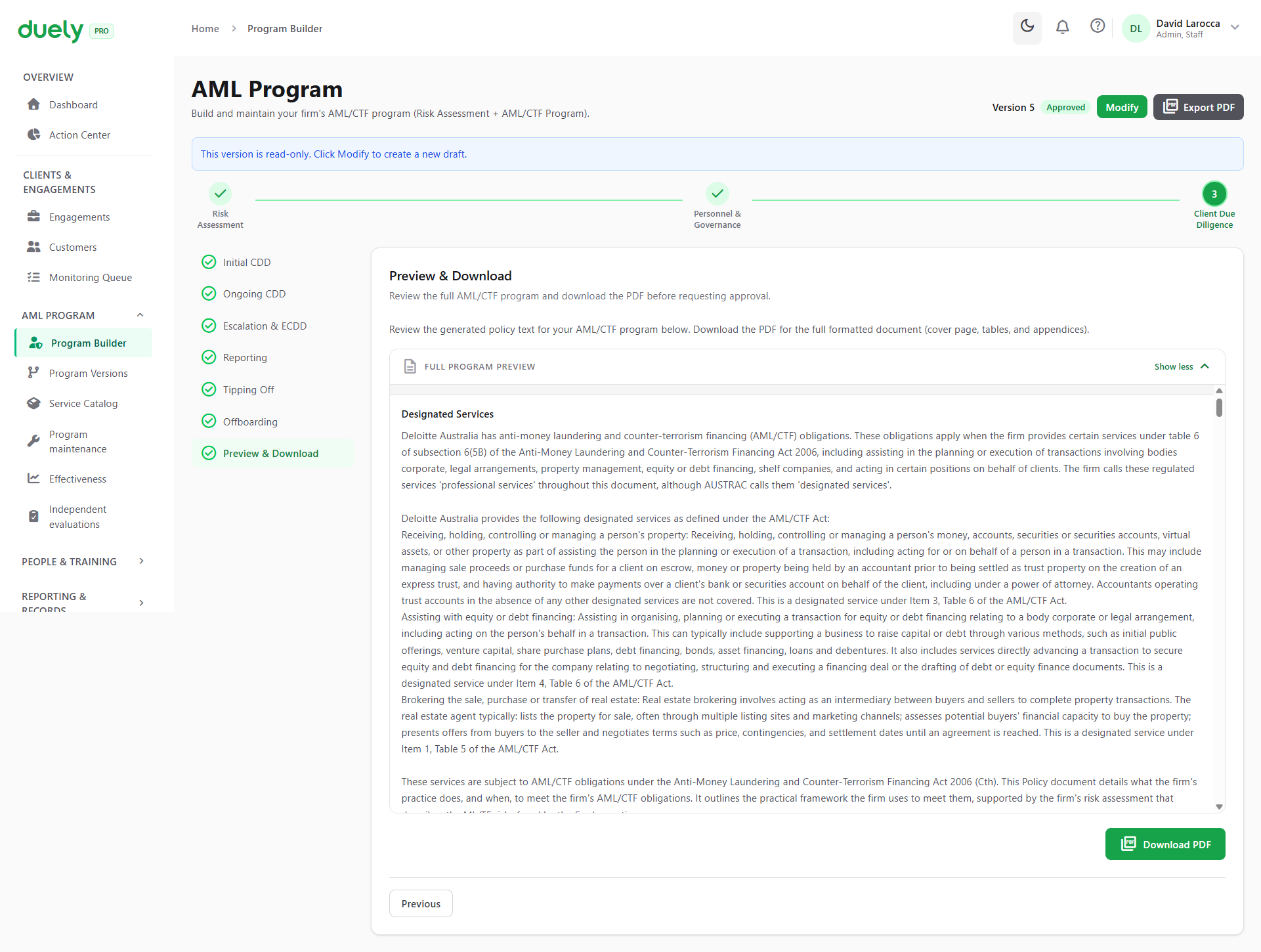
Preview & Download
The last section, and the last chance to read the program as a document before asking for approval.
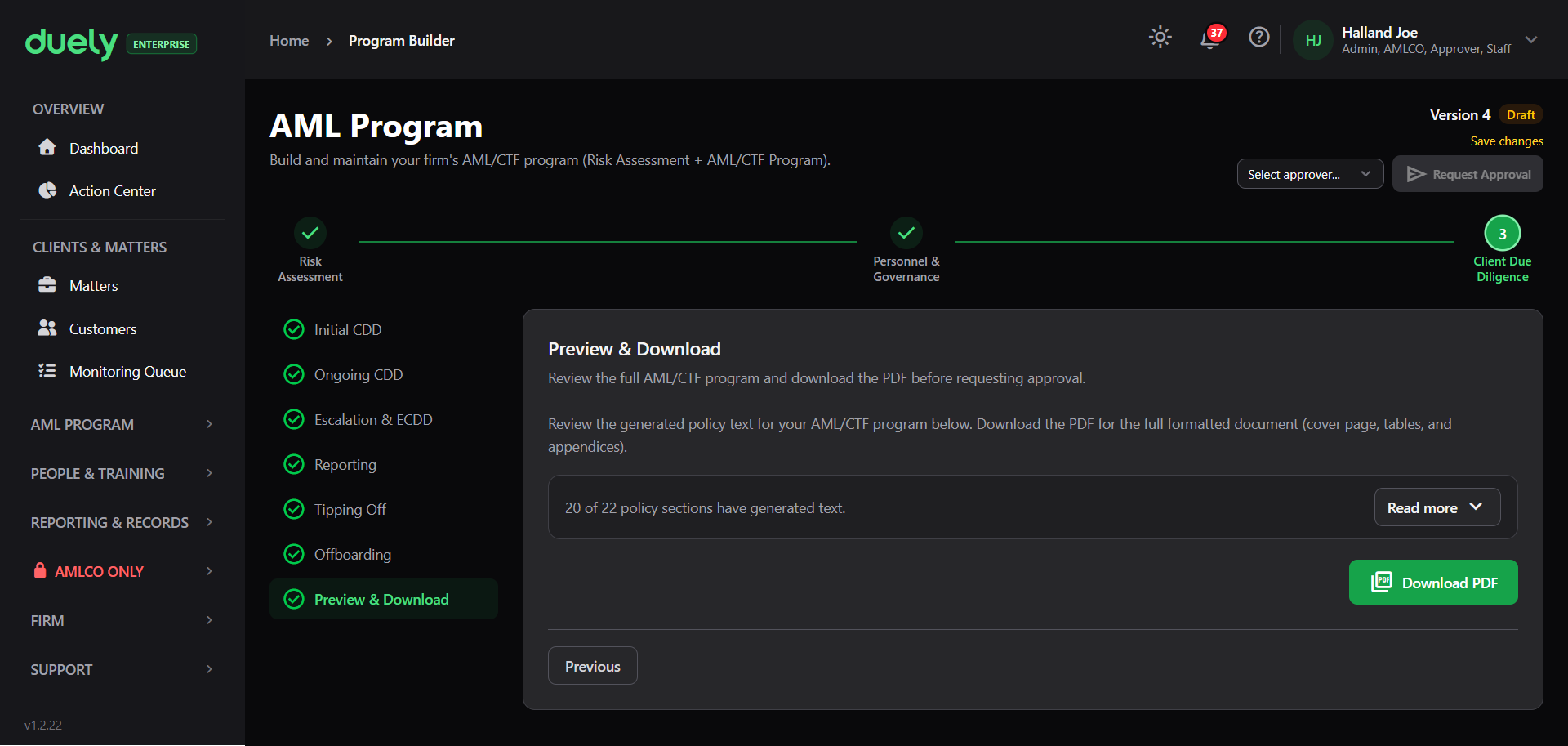
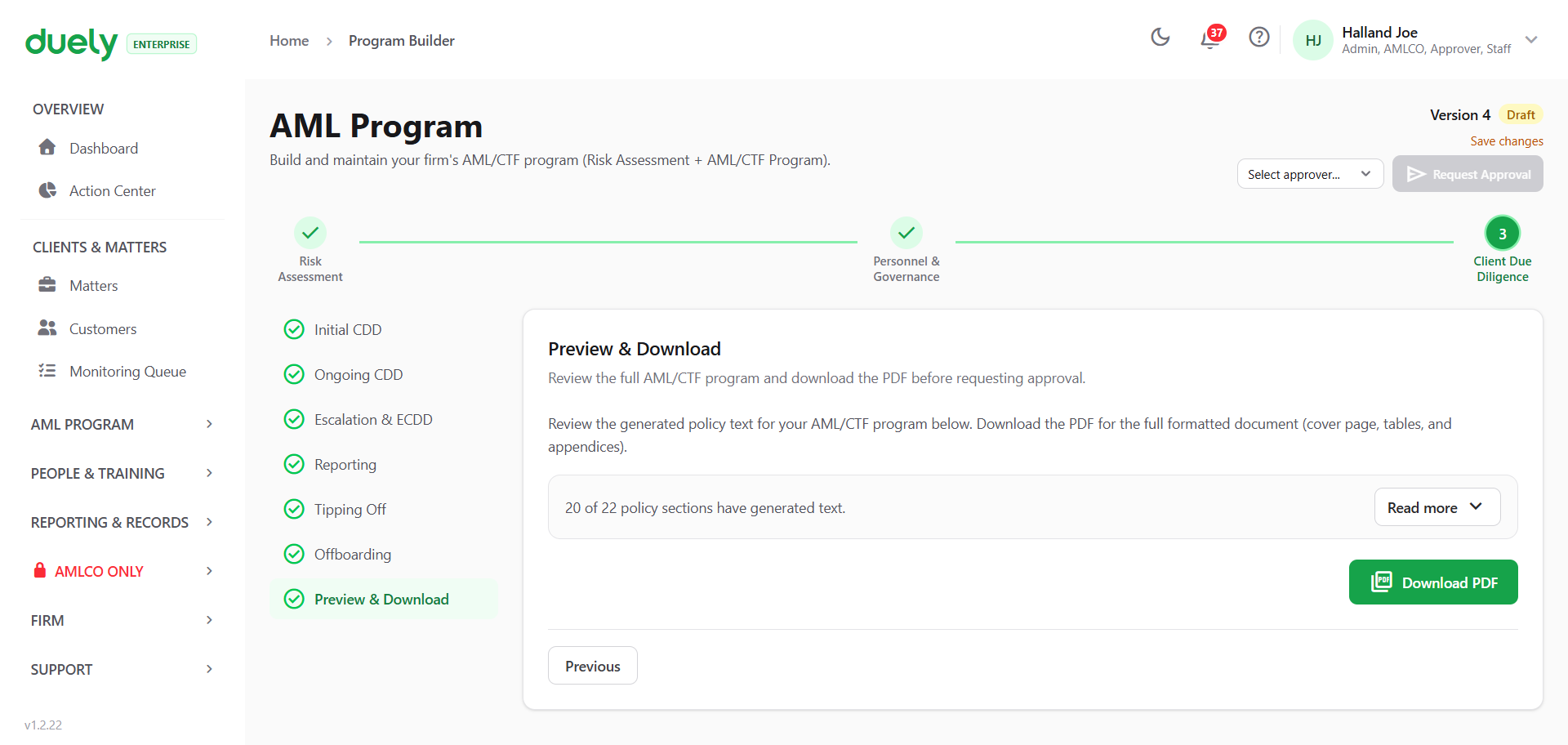
It shows how much of the policy text has generated, such as 20 of 22 sections, with a Read more control to review it and a Download PDF action. The PDF is the full formatted document including cover page, tables and appendices.
Download it and read it. This is where an answer that produced text you would not want a regulator to read is still cheap to fix.
How the steps interlock
Step 3 is parameterised by Step 1. The customer types, delivery channels and jurisdictions you entered there drive the questions and the generated text here, so a section in this step can be shaped by answers from two steps earlier. Changing your customer types in Step 1 after working through Step 3 changes what Step 3 generates.
Approving creates a new version
Versioning determines what you can prove later.
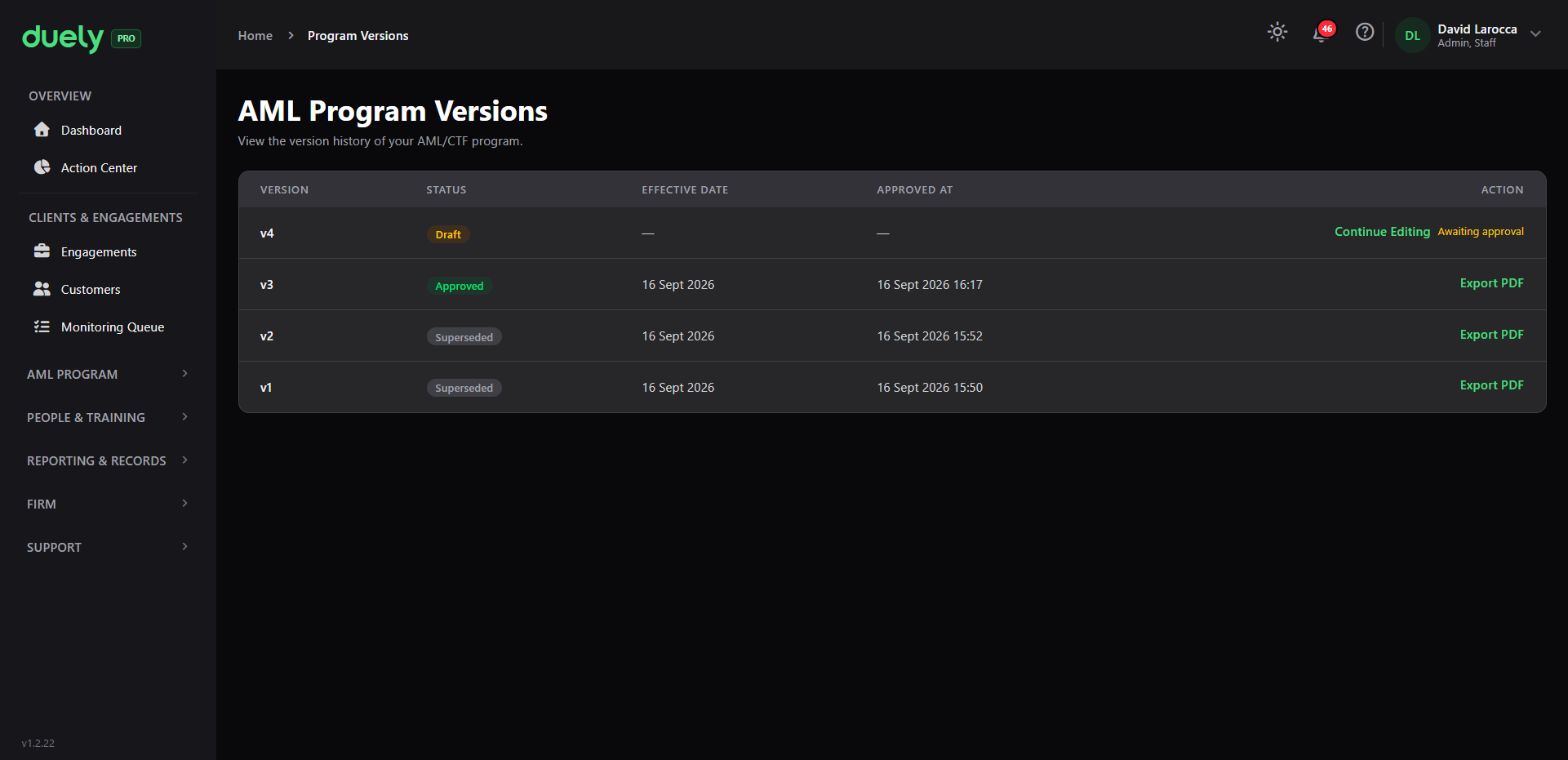
Approving a draft produces a new version and marks the previously approved version superseded. Both are retained. You can therefore answer two different questions:
- "What does our program say?" refers to the currently approved version.
- "What did our program say in March?" refers to the version that was current then.
A draft can also be rejected, with comments recorded in the change log, and the rejected draft is terminal. Rejection is a review outcome, not an error.
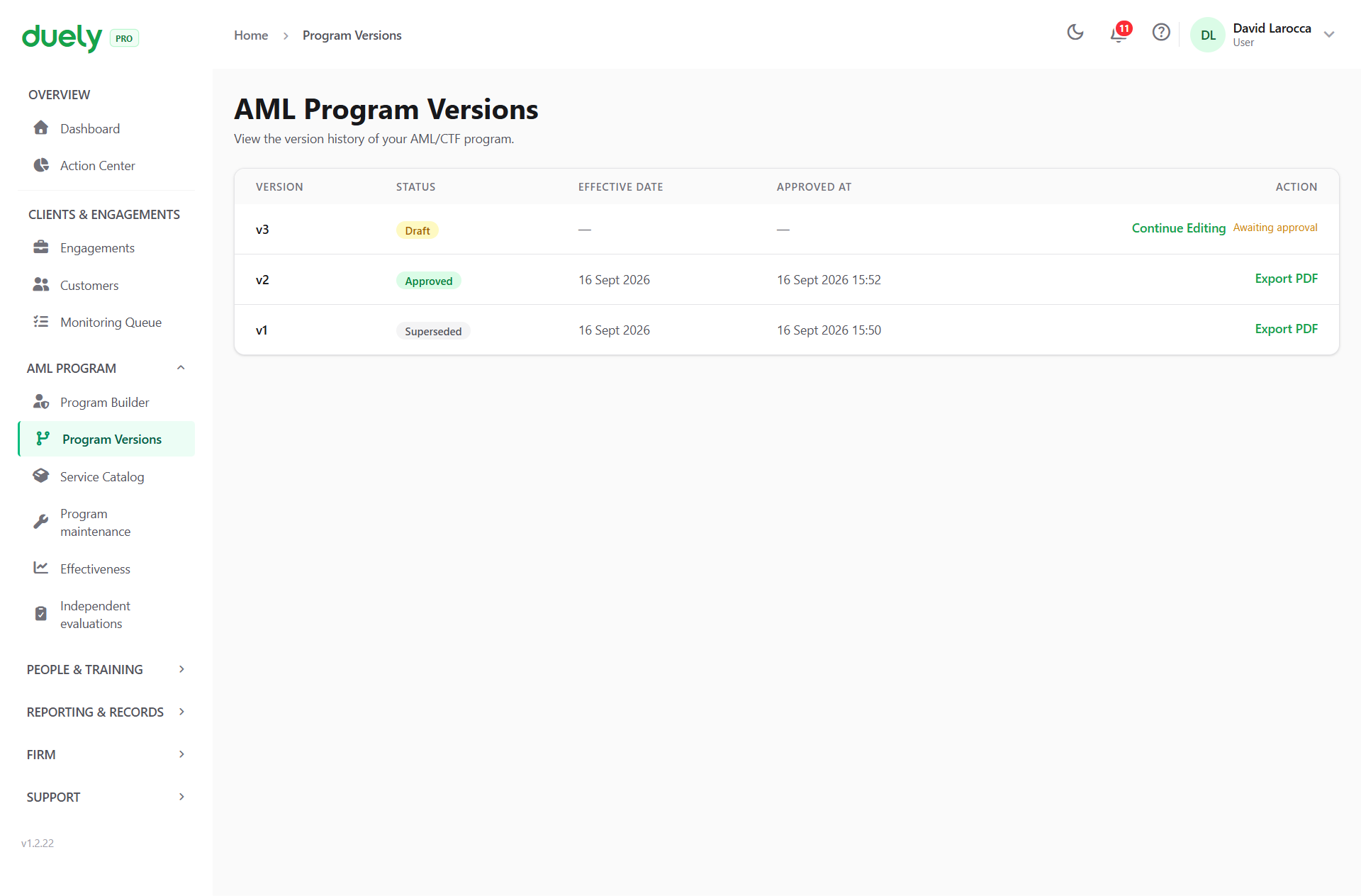
Versions are listed at Program Versions in the AML Program group, with their status, effective date and approval date. Each approved version exports to PDF, and that PDF is your program of record.
Asking for approval
Once the sections are done, you request approval and an approver decides. Who can approve and what gates approval are enforced at different points.
Who can approve
Approval capability comes from the person's firm role: Admin, Approver, or AMLCO. A staff member cannot approve a program.
When you request approval, the person you pick must be able to approve and cannot be you.
At approval, the author of a draft cannot approve it while another active member who can approve exists. If you are the only member who can approve, you may approve your own draft, and the product asks for a justification and records it in the change log. An auto-generated draft produced because the AMLCO changed is exempt, so changing the officer does not lock the firm out of approving the revision.
An AMLCO must be appointed before an approval can be requested, and again at the point of approval.
What gates approval
| Condition | Enforced by |
|---|---|
| An AML/CTF Compliance Officer is appointed | Refused at both request and approval |
| The chosen approver is approval-capable and not the requester | Refused at request |
| The approver is not the author of the draft, unless they are the firm's only approver, who must record a justification | Refused at approval |
| All required wizard sections are complete | Re-checked by the domain at approval |
Auto-generated sections are excluded from the completeness check, because there is nothing for you to fill in. Additional Services is also excluded, so a firm with no services beyond its designated ones is not blocked.
Scoping depends on a published version
A matter cannot be scoped until the firm has a published program version. The scoping decision is pinned to a specific program version, so a historical decision remains valid against the program that was in force when it was made, even after the program changes.
That makes the program builder a prerequisite for the rest of the workflow rather than a parallel task. See Creating a matter.
If your firm changes
Do not edit around the program. Produce a new version. The version history is what demonstrates the program was reviewed and updated, which is the point of the maintenance stage and of the review obligation covered in Review and evaluation.
Changing the AMLCO is a special case: the product generates a revision draft when the officer changes, so the program does not sit out of step with the appointment.
Related pages
- Build your program, for what the program must contain and who approves it.
- Appoint your AMLCO, for the appointment obligation and personnel due diligence.
- Staff training, for the obligation the training section records.
- Firm setup, because your vertical drives the templates used here.
- Creating a matter, which requires a published program.