Filing a Report
Duely prepares the report record and controls who can see it. The firm lodges with AUSTRAC. Nothing is submitted to AUSTRAC automatically, by design.
For the obligation behind each report type, including the deadlines, see Reporting. This page is the product flow.
The four report types
| Report | Where it lives | How it starts |
|---|---|---|
| SMR | AMLCO Only group | Raised through an unusual activity report, or opened directly by the AMLCO with New SMR Case |
| TTR | Reporting and records | A draft record you create |
| CBM | Reporting and records | A draft record you create |
| ACR | Not in Duely | Completed by the firm in AUSTRAC Online |
Suspicious matter reporting
Suspicious matter reporting runs through a two stage path, and the two stages have different access rules.
Stage one: the unusual activity report
Any user who notices something can raise an unusual activity report against a matter. This is the front door, and it is deliberately open: the obligation to report can arise for anyone in the firm, so the route for reporting something cannot be restricted to the compliance team.
An unusual activity report then moves through review states as the AMLCO works it. The outcomes available are:
- Dismissed, where the concern does not warrant further action
- Continue Monitoring, where the concern is noted and the customer stays under monitoring
- SMR created, where the concern warrants a suspicious matter report
Stage two: the suspicious matter report
Where an unusual activity report results in a report being created, an SMR case is opened. The AMLCO can also open a case directly from the SMR cases list with New SMR Case. The case proceeds through its own states: Draft, Submitted, Closed, or Discarded.
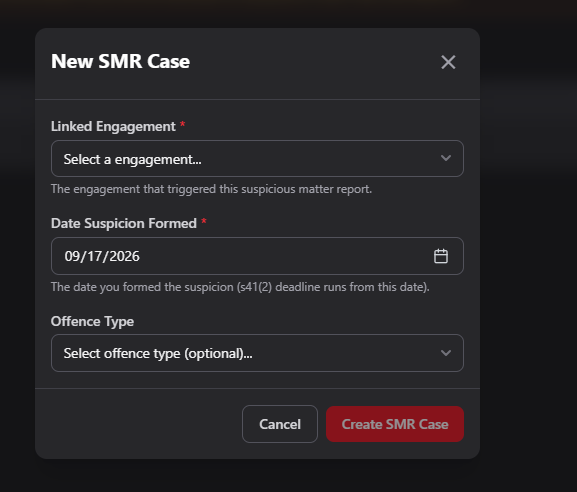
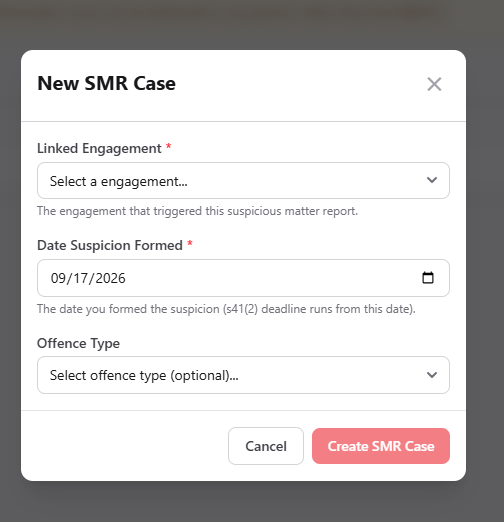
Opening a case asks for three things:
- Linked engagement, which is required. The case has to point at the engagement that triggered it
- Date suspicion formed, which is required. The dialog states that the s 41(2) deadline runs from this date, so it decides whether the report is inside its window
- Offence type, which is optional at this point. Where you select a terrorism financing offence, the shorter deadline applies
Then you build the draft up with the narrative, the transaction details, the person roles, and the customer links. The case is then submitted by recording the AUSTRAC reference, and later closed.
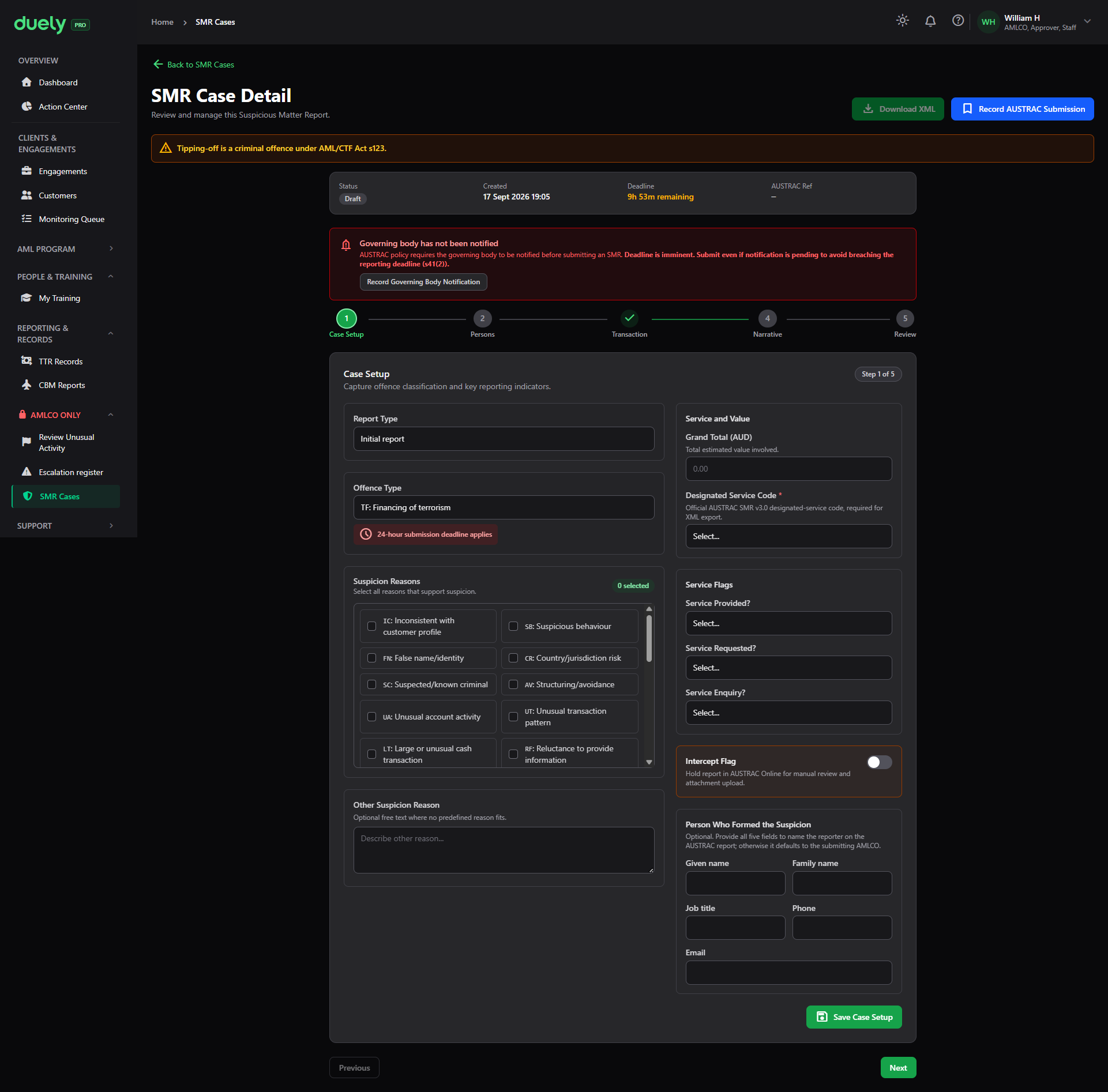
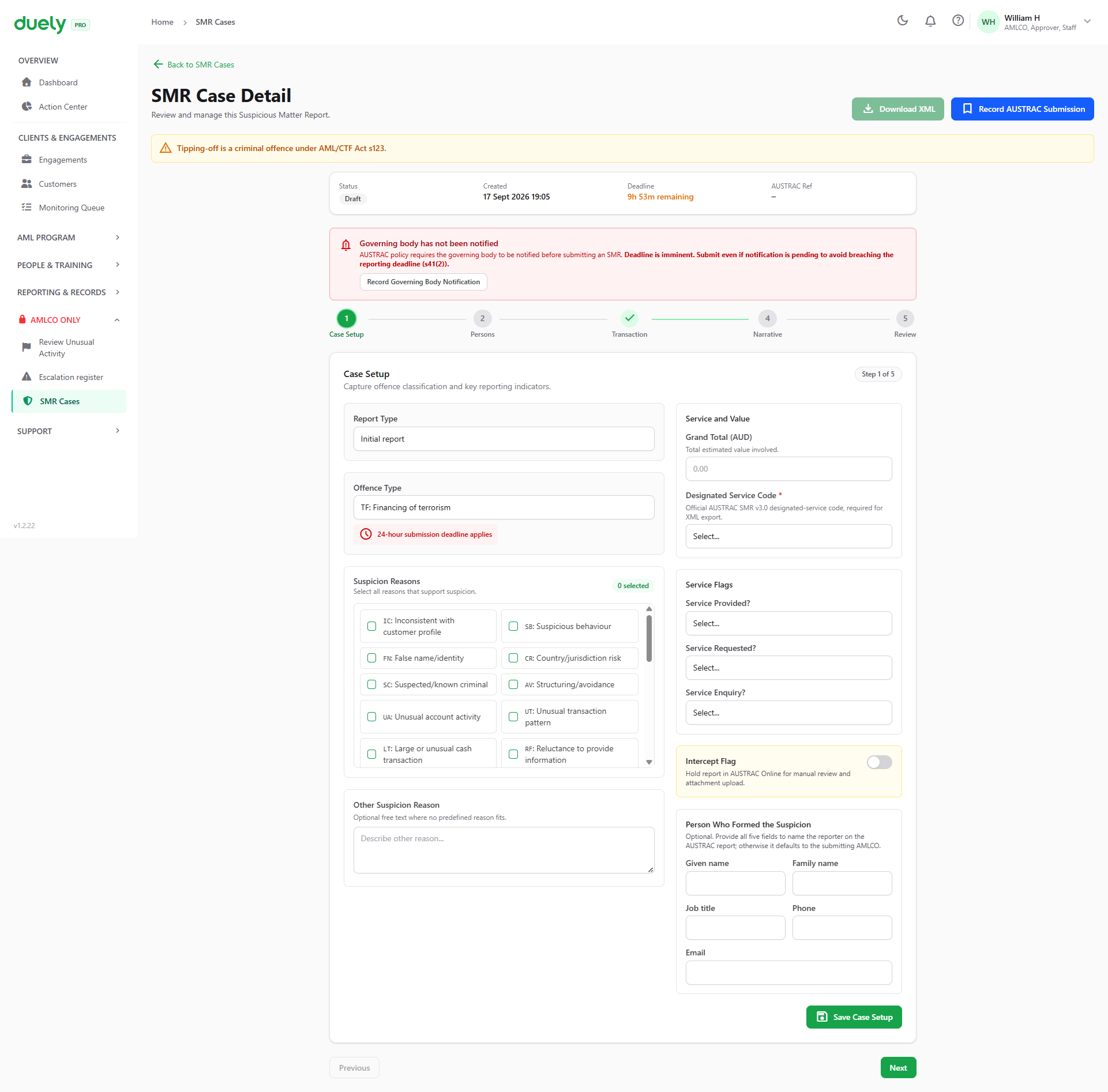
The case detail runs through its own steps in order: case setup, persons, transaction, narrative, and review. Case setup captures the report type, the offence type, the suspicion reasons, the designated service, and the person who formed the suspicion. The remaining steps fill in the parties, the transaction and value, and the narrative that explains the suspicion.
Download XML is enabled once case setup, persons and narrative are complete, and it produces the AUSTRAC SMR XML file. The firm uploads that file through AUSTRAC Online. Recording the AUSTRAC reference back against the case is the submit step, and it locks the case.
Suspicious matter data is isolated by design
Suspicious matter reporting sits in the AMLCO Only group in the sidebar, which does not appear for other users. The case records are held separately from the ordinary matter views rather than being a flag on a matter, so the fact that a report exists is not visible to someone who should not know.
Because of that separation, a suspicious matter indicator does not appear on dashboards, lists, or in a standard evidence pack.
Threshold transaction and cross-border records
Threshold transaction and cross-border reporting work differently from suspicious matter reporting. They are record based rather than suspicion based, and they live in the Reporting and records area.
Threshold transaction reports
Threshold transaction reports are draft records you create against a matter from TTR Records, which sits under Reporting and records in the sidebar.
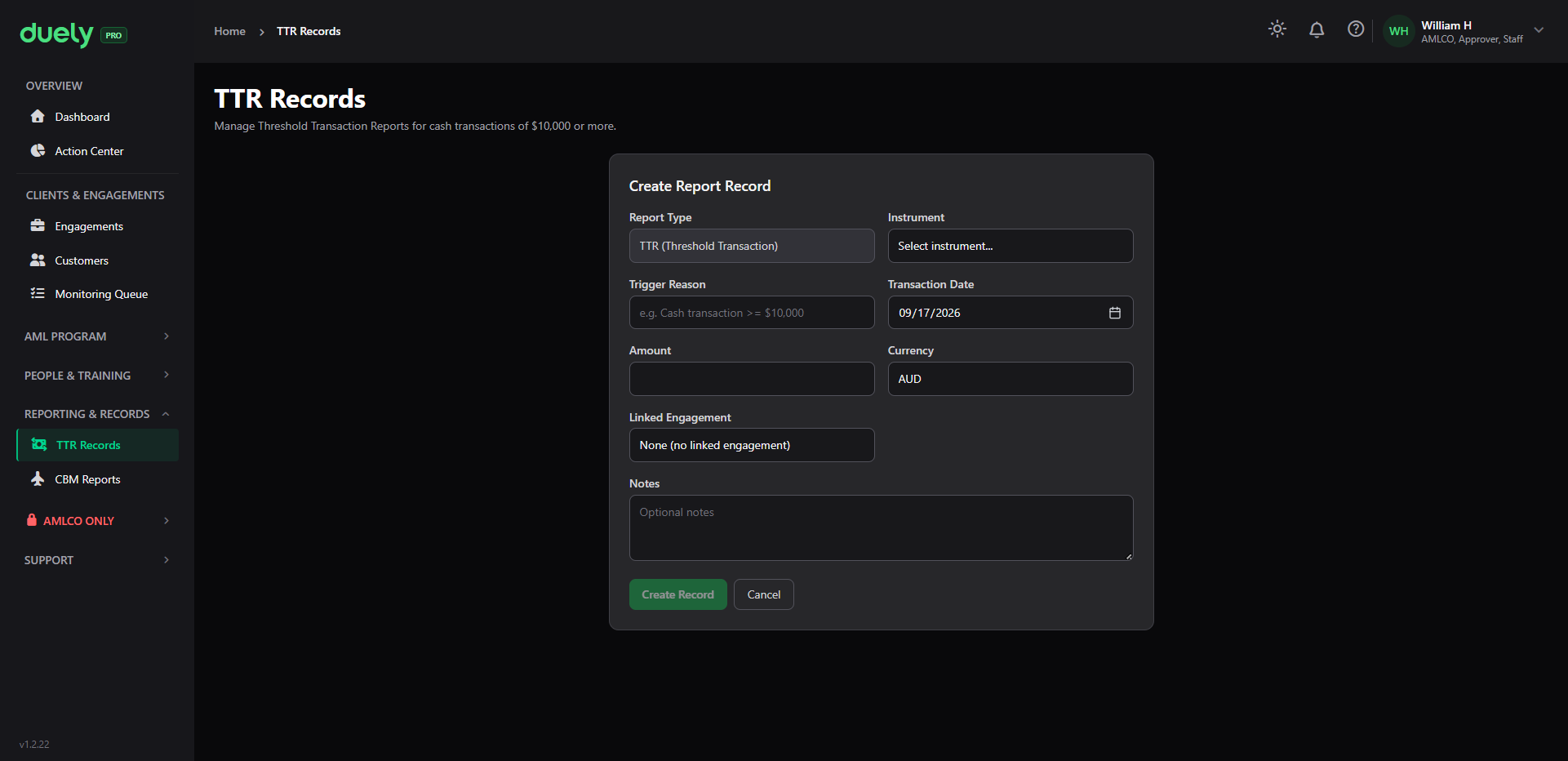
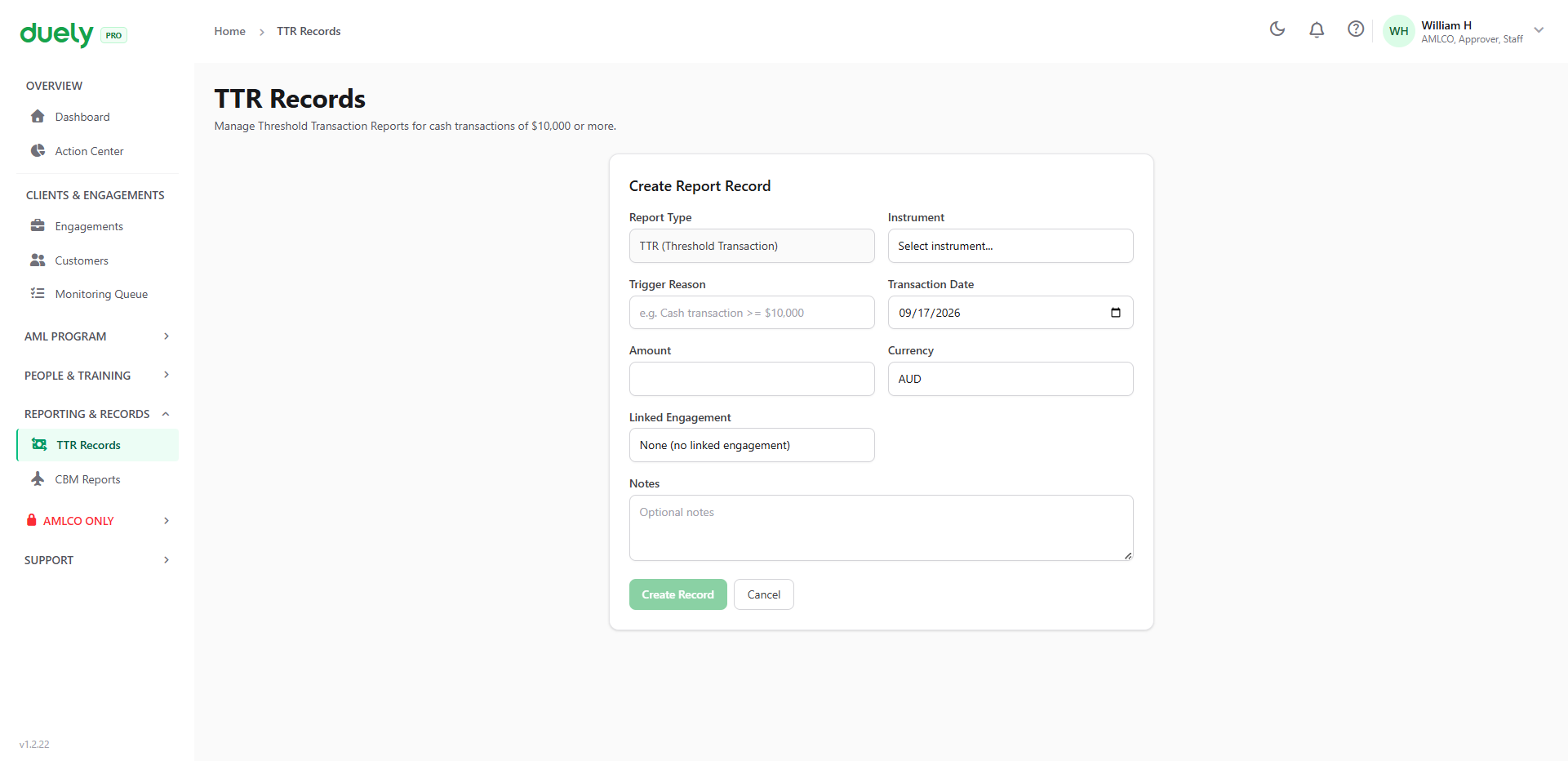
Creating one opens a Create Report Record form on the page:
- Report type, which is already set to TTR
- Instrument, the payment instrument involved
- Trigger reason, for example a cash transaction at or above the threshold
- Transaction date
- Amount and currency, which default to AUD
- Linked engagement, so the record points at the work it came from
- Notes
Each record then carries a due date that the product tracks, so you can see what is approaching and what is overdue rather than counting back from a transaction date. On the register that shows as a date with the days remaining beside it, and a note that public holidays are excluded, because the deadline runs in business days.
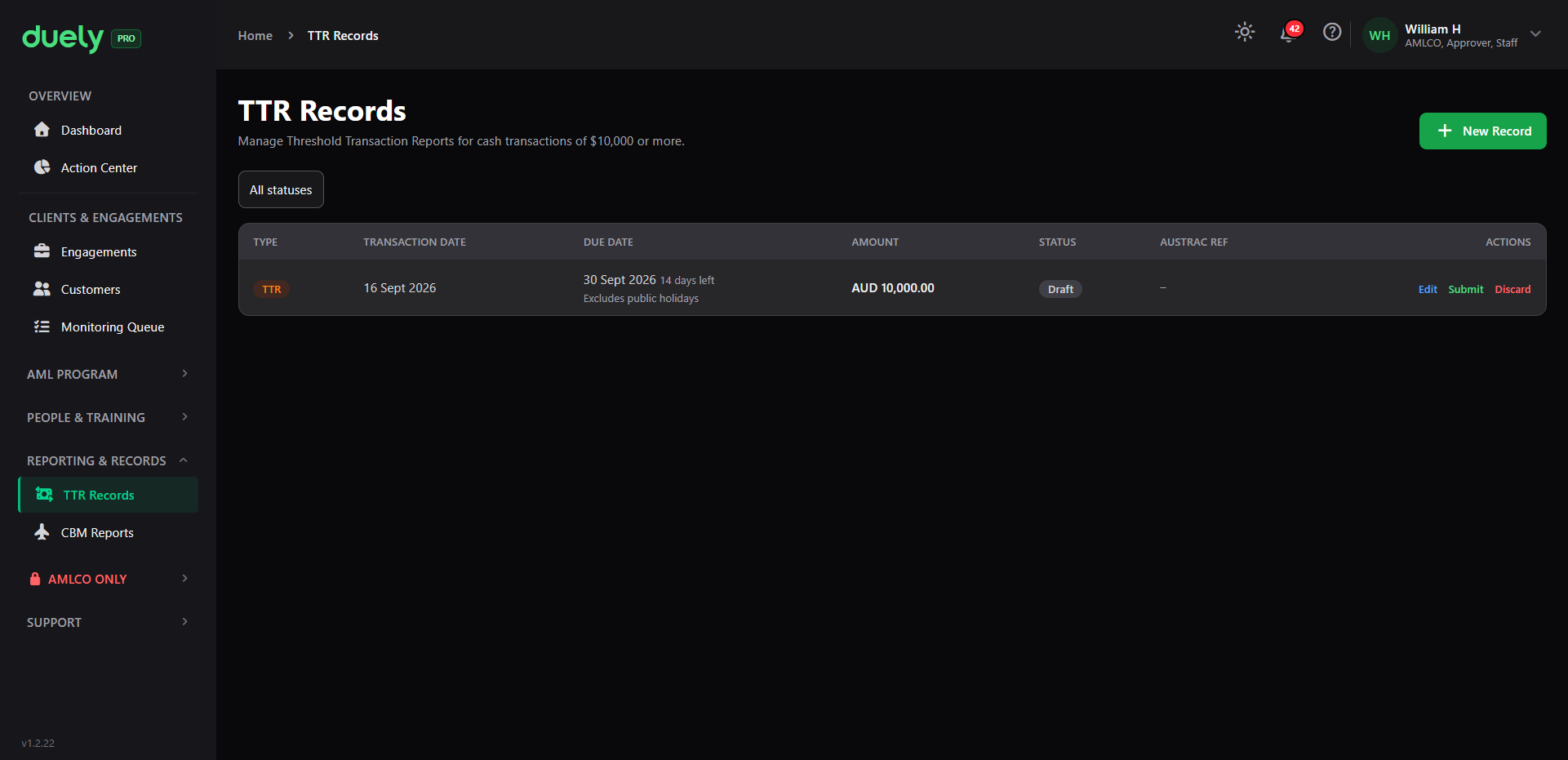
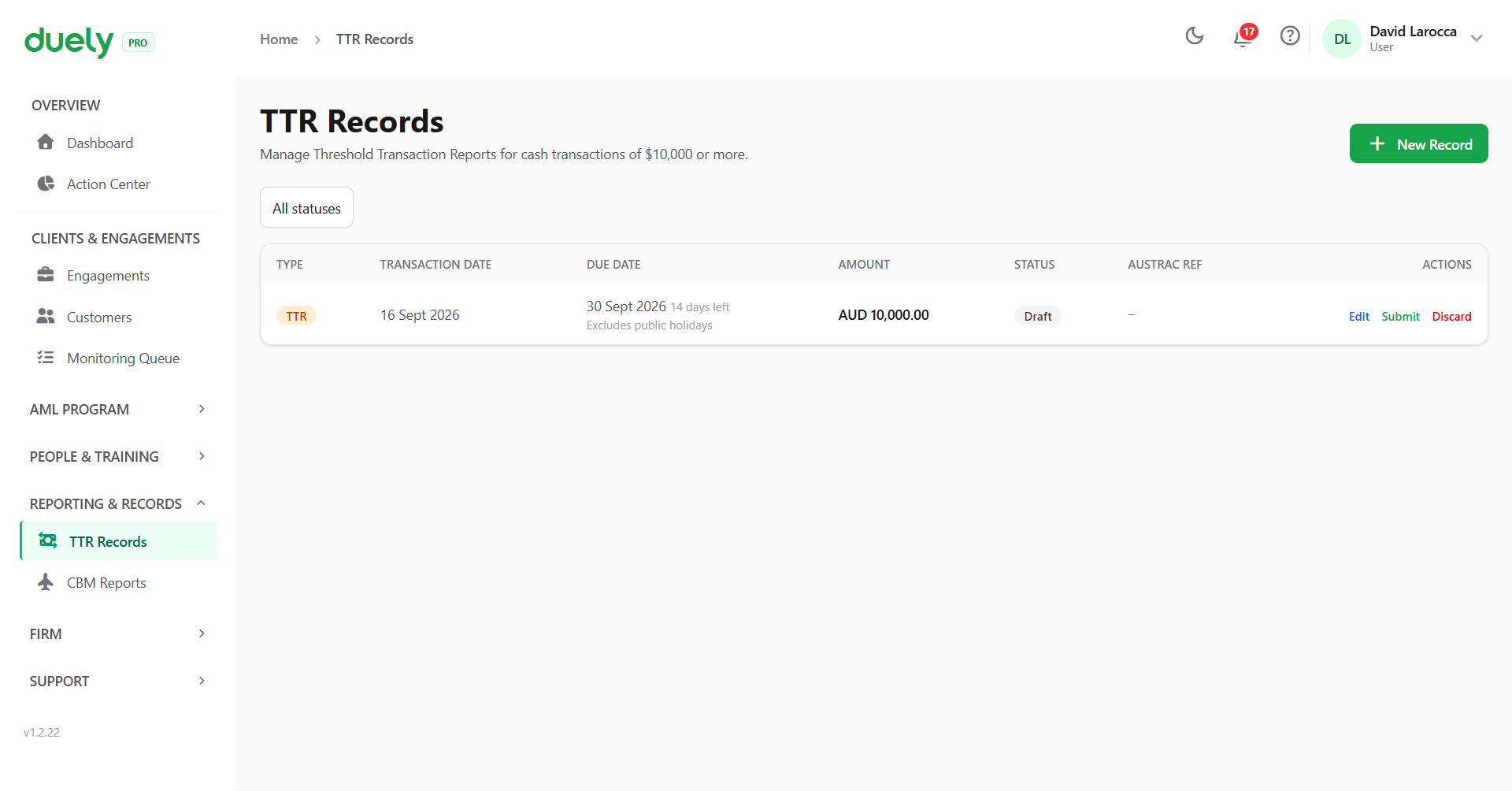
Each row offers Edit, Submit and Discard, and carries the AUSTRAC reference once it has one.
Cross-border movement reports
Cross-border movement reports are a separate register at CBM Reports, and they are likewise draft records with tracked deadlines. The deadline depends on the situation rather than the direction, which is set out on Reporting: a traveller arriving in or departing Australia with instruments reports before customs, while instruments received from outside Australia have a window of several business days.
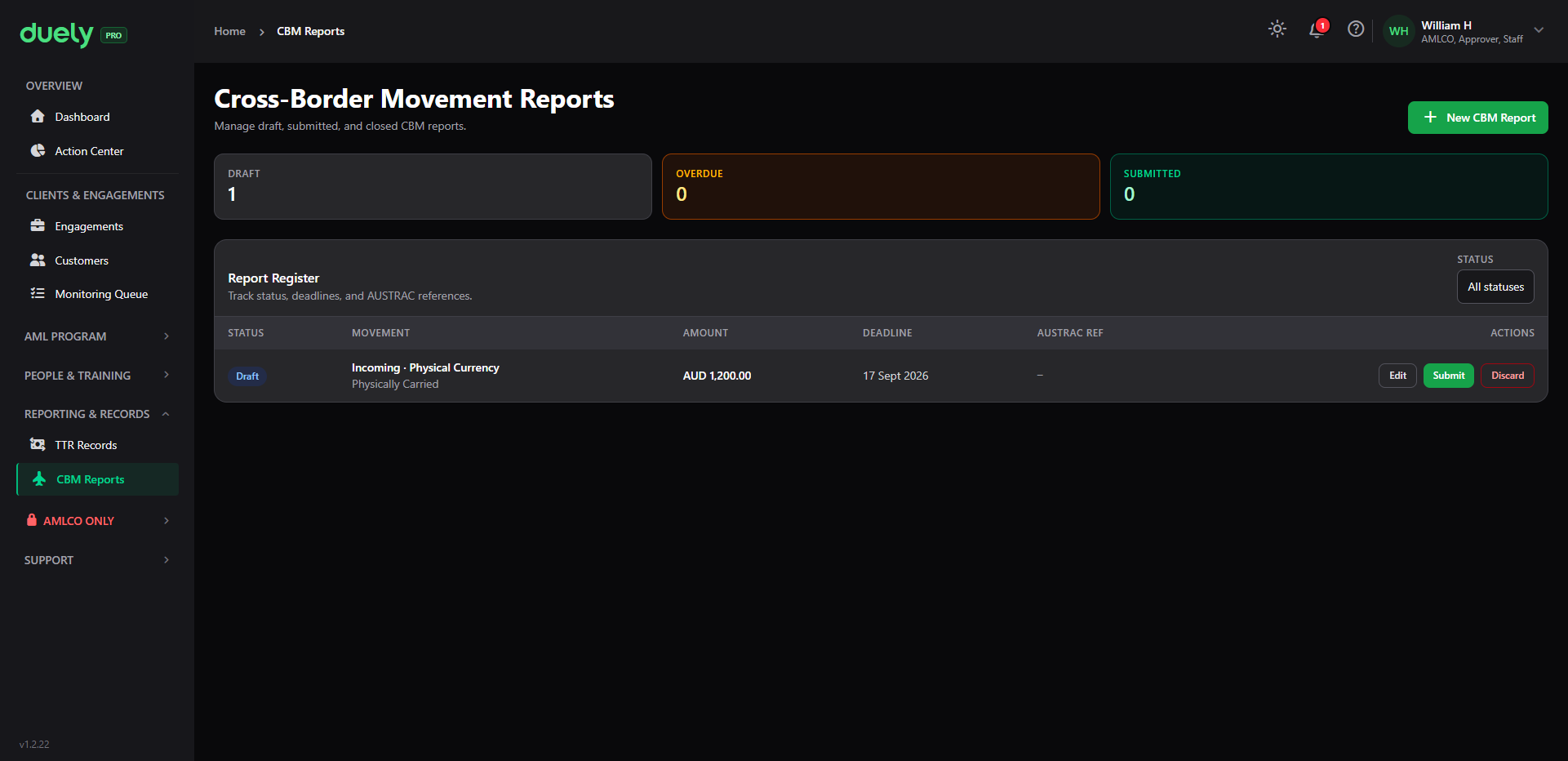
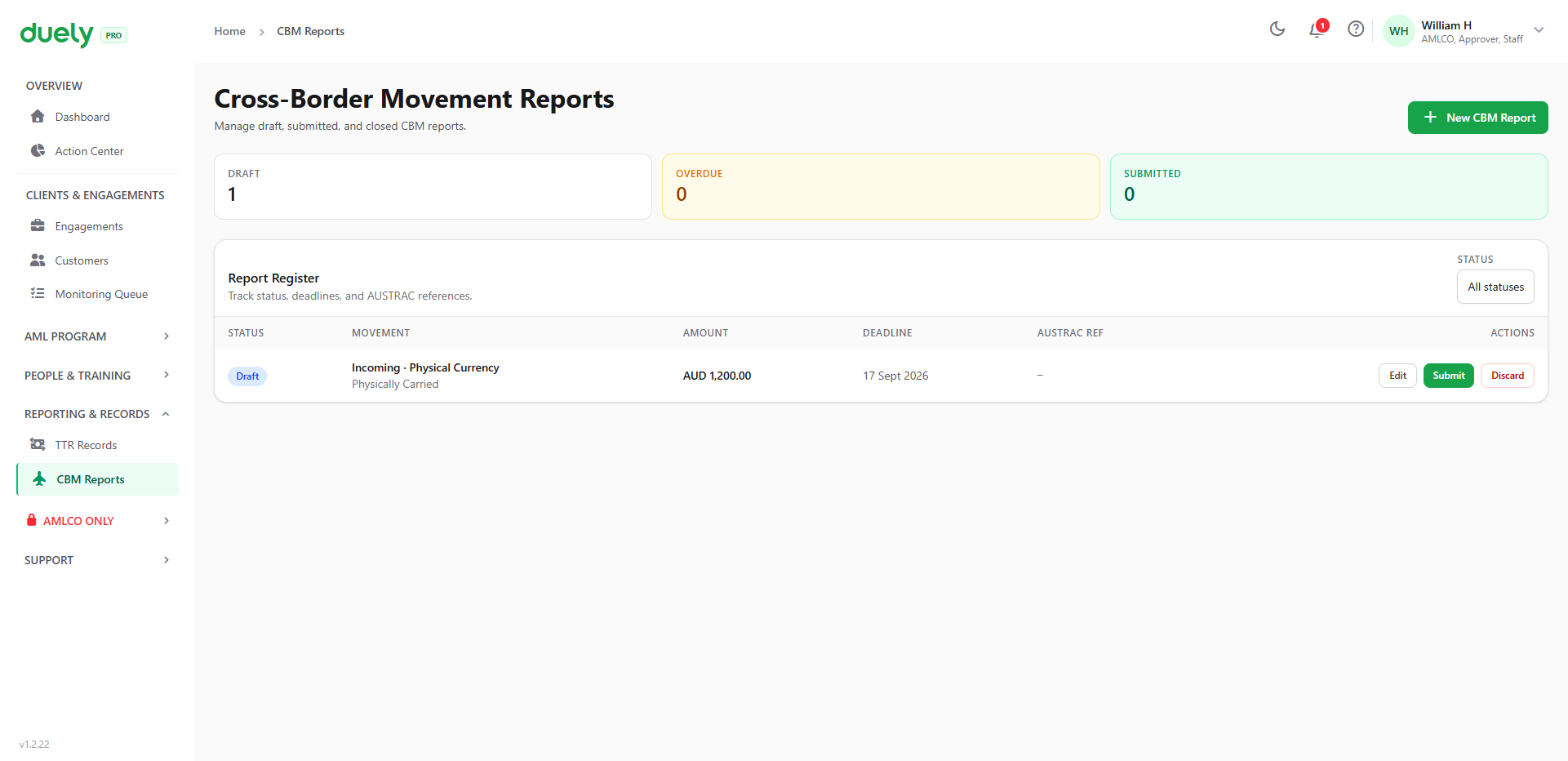
The register shows draft, overdue and submitted counts across the top, then one row per movement with its direction, instrument type, amount, deadline and AUSTRAC reference.
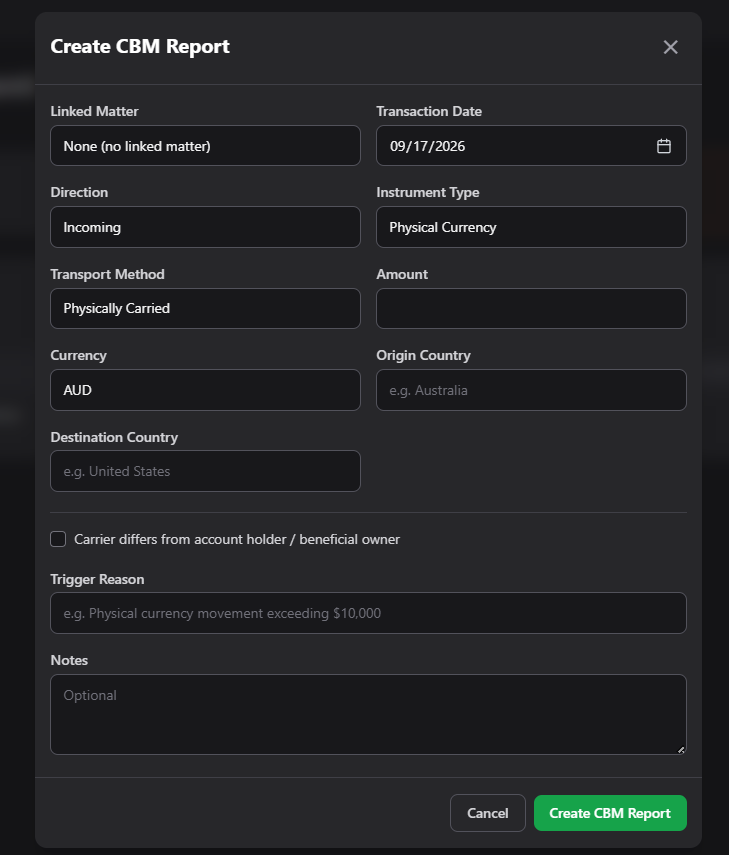
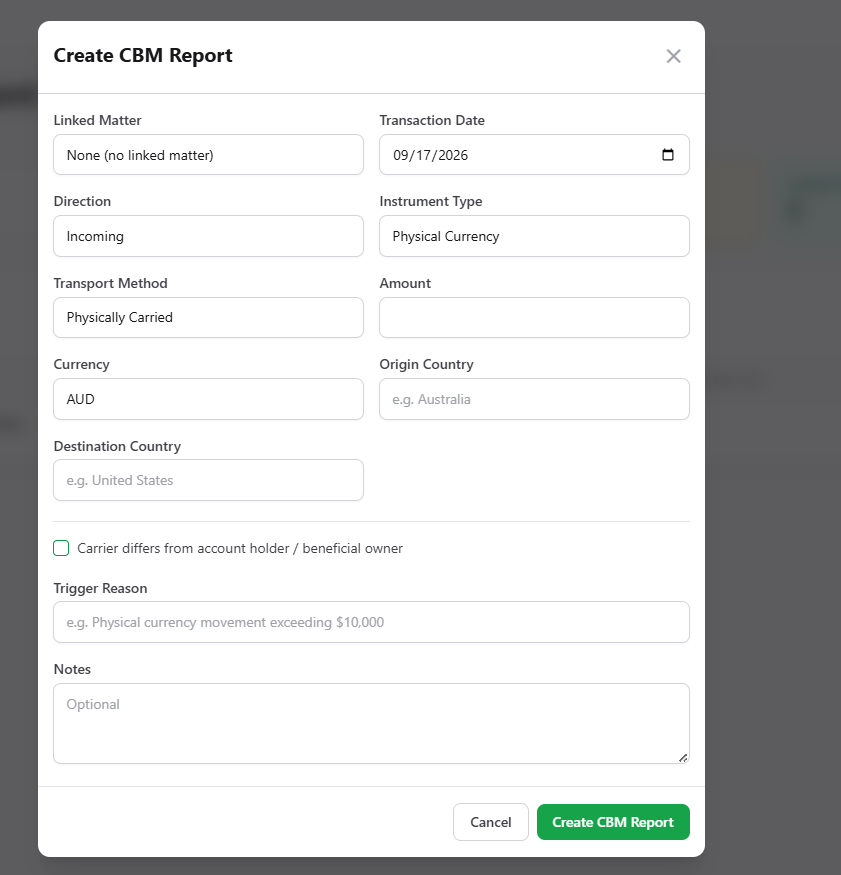
Creating one opens a Create CBM Report form, which asks for more than the TTR form because a movement has more to describe:
- Linked matter, where the movement relates to an engagement
- Transaction date
- Direction, such as incoming
- Instrument type, such as physical currency
- Transport method, such as physically carried
- Amount and currency
- Origin country and destination country
- Carrier differs from account holder or beneficial owner, a flag to set where it applies, since a third party carrying the instruments is a risk factor
- Trigger reason, for example a physical currency movement above the threshold
- Notes
For both types, the same principle applies as for suspicious matters: Duely holds the record, and the firm lodges.
The annual compliance report
The annual compliance report is a firm level report on your compliance over the reporting period, rather than a record tied to a single transaction. Duely has no annual compliance report feature. The firm completes the report in AUSTRAC Online.
For the period it covers and the deadline, see Reporting.
What the product will not do
- Nothing is lodged automatically. There is no submission rail, and the firm lodges in every case.
- No suspicion is formed for you. The product records and routes; a person decides.
- The XML payload is a preparation aid. You still upload it through AUSTRAC Online and record the reference back.
Related pages
- Reporting, for the deadlines, the s 123 offence, and the trigger for each report.
- Customer due diligence, because ongoing monitoring is what surfaces most unusual activity.
- Roles and permissions, for the AMLCO role and what it gates.
- Evidence packs, for the compliance record of a matter, which is separate from reports.