Roles and Permissions
Duely has four firm roles. A person can hold more than one at once, and the permissions combine, so a practice owner is commonly both Admin and AMLCO.
| Role | In one line |
|---|---|
| Admin | Configures the firm, manages members, and handles billing |
| Approver | Signs off AML/CTF program versions and matter approvals |
| AMLCO | The AML/CTF Compliance Officer, a single appointment per firm |
| Staff | The default operational role, doing day to day compliance work |
The first person to register a firm is assigned Admin and Staff together. Roles are stored against the person's firm membership.
What each role can do
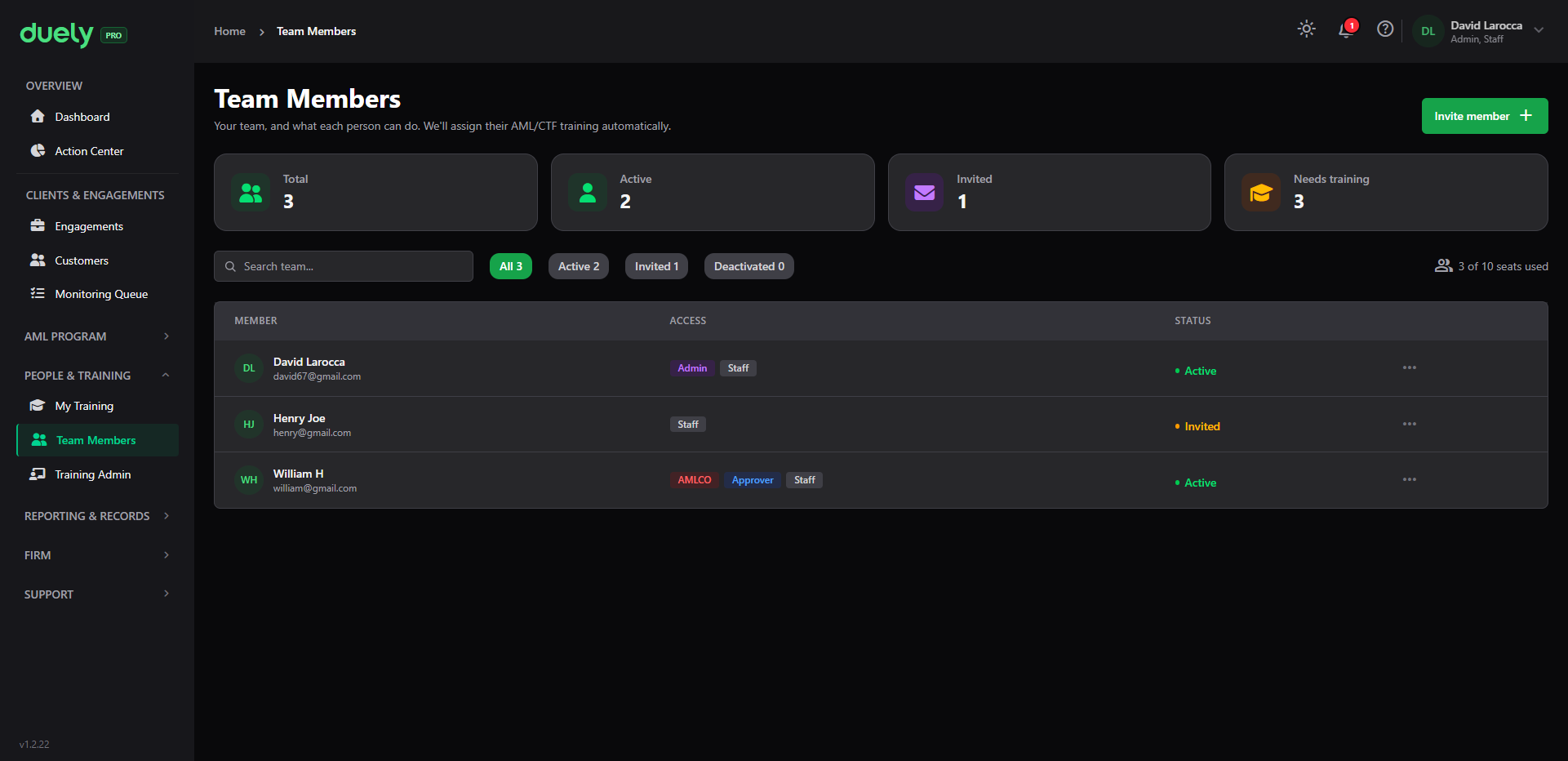
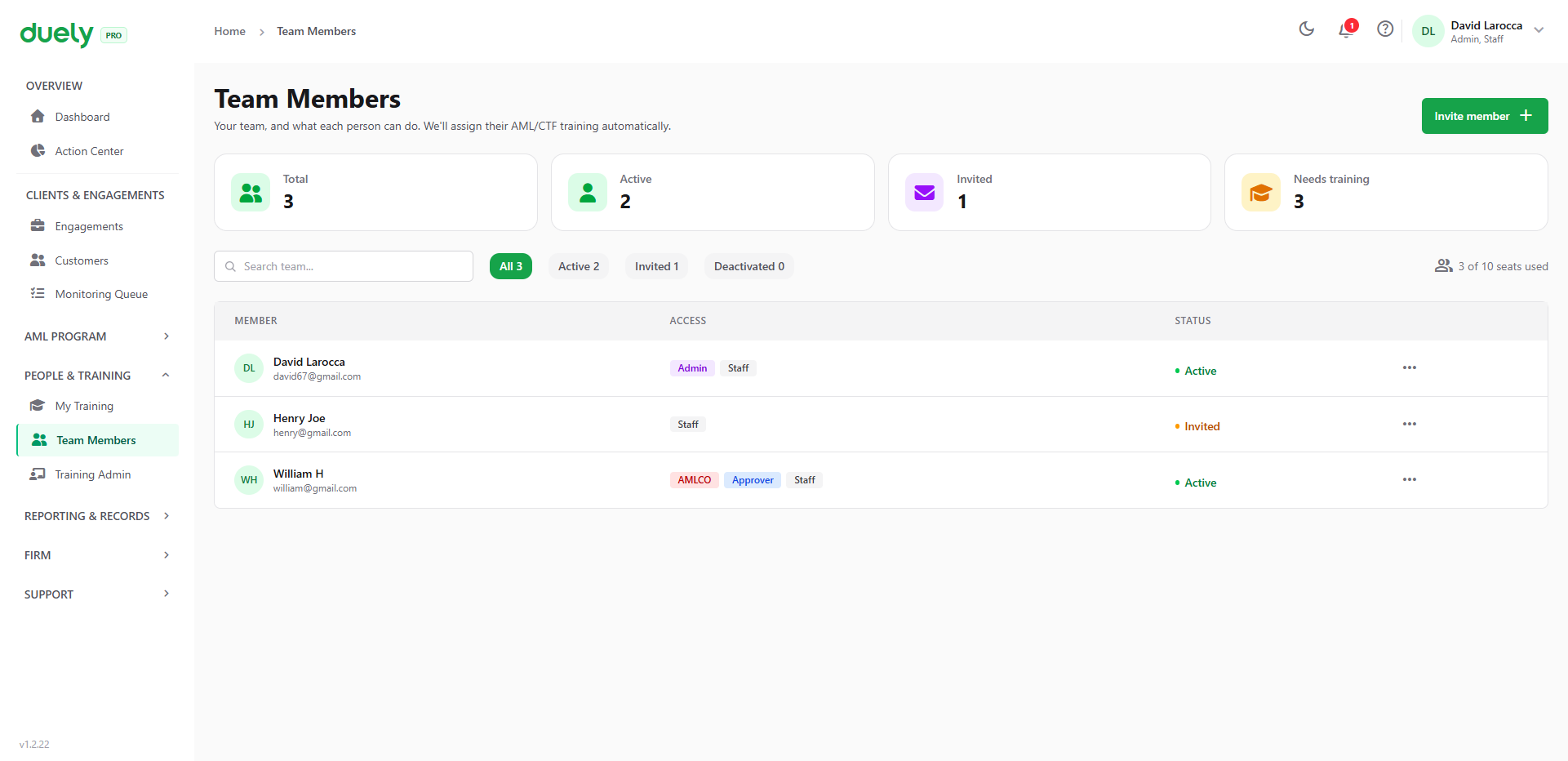
Four counters run across the top: Total, Active, Invited, and Needs training. Below them is a search box and a status filter across All, Active, Invited and Deactivated, with a seat counter on the right showing how many of your plan's seats are in use.
Each row shows the person's name, their email, their Access badges, and their Status. The badges show combined roles: one person in the screenshot holds three, reading AMLCO, Approver and Staff across a single row. Anyone still pending reads Invited rather than Active, so you can see who has not yet accepted.
Staff
The default role. Staff can work on matters and customers, complete customers and engagements, run verification and screening, and raise an unusual activity report when something looks wrong. Staff cannot approve, cannot administer the firm, and cannot see suspicious matter data.
Approver
Approvers can approve or decline a matter, and approve, reject, or ask for changes to an AML/CTF program version. Approval makes a decision defensible, because the approver's identity and the rationale are recorded against it.
Approvers cannot see suspicious matter data, and being an Approver does not make someone the AML/CTF Compliance Officer. Those are separate roles with separate duties.
Admin
Admins configure the firm profile, manage members and their roles, and handle billing. They also see the program assurance pages (maintenance, effectiveness, and independent evaluations) and the reliance partners page.
Admin is Duely's proxy for firm management, which is why only Admin or Approver can be appointed AMLCO (see below).
AMLCO
The AML/CTF Compliance Officer is a single appointment per firm, and the role carries duties that Duely enforces technically rather than merely documents.
The AMLCO, and nobody else, can see:
- Suspicious matter report cases
- The unusual activity report review queue
- The escalation register
- The sensitive variant of an evidence pack
- SMR derived calendar events
Two rules that surprise people
Personnel due diligence gates every matter approval, but not program approval
Approving an AML/CTF program version does not require the approver's own personnel due diligence to be current. That is the only approval exempt from the check. The personnel due diligence process only exists once a program does, so requiring it first would be circular.
Personnel due diligence currency is required for every matter approval decision and for suspicious matter report submission. There is one exception for the AMLCO: if blocking would make a suspicious matter report late, submission is allowed and the override is recorded. That applies to terrorism financing cases and to any case with 24 hours or less to its deadline. Where the check applies and has lapsed, the action is refused with a message naming the problem, and the fix is to complete the review rather than to change anyone's role.
Personnel due diligence is completed from the person's profile, reached through Team Members.
Only Admin or Approver can be appointed AMLCO
Duely maps the "management level" requirement for the AMLCO role onto the Admin and Approver roles. A Staff member cannot be appointed, even with a passing personnel due diligence review.
Appointment also requires the candidate's personnel due diligence to be current, and to cover the compliance-officer checklist. That is stricter than granting Admin or Approver.
The change AMLCO picker lists every active member, and ineligible people appear disabled with the reason stated, so you are never left guessing why a name cannot be selected. The current AMLCO is listed as Currently assigned and cannot be selected, since the role is a single appointment.
Inviting people and assigning access
People are added from Team Members with Invite member, which opens the invite dialog.
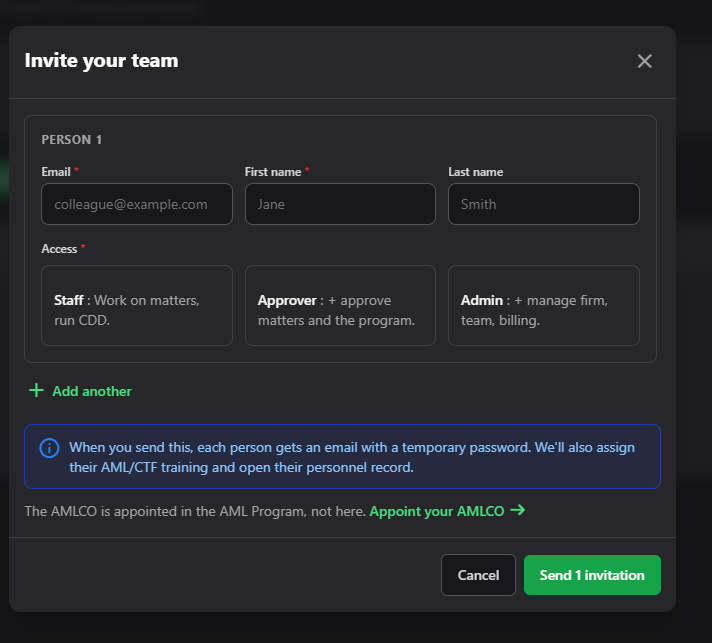
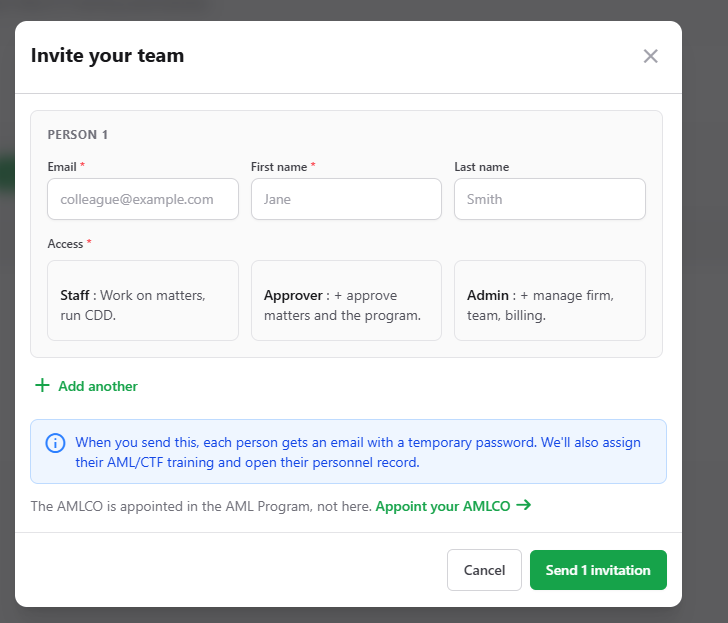
Each person needs an email, a first name, and an access level. The email and first name are required; the last name is not. The access level is chosen from three cards, and each states what it grants on the card itself:
| Access | What the card says |
|---|---|
| Staff | Work on matters, run CDD |
| Approver | Approve matters and the program |
| Admin | Manage firm, team, billing |
Add another adds a second person to the same submission, so a small team can be invited in one pass. The action button counts what you are about to send.
The dialog states what happens on send: each person gets an email with a temporary password, and the product also assigns their AML/CTF training and opens their personnel record. Inviting someone therefore creates three things, so set the access level correctly when you invite rather than correcting it afterwards.
Where permissions overlap
Approval rights are wider than the Approver role. Admin, Approver, and AMLCO can all approve a matter or a program version. Holding the Approver role also does not make someone the AML/CTF Compliance Officer.
A single person in a small firm can hold all four roles. That is permitted and common. Three requirements follow, and they are separate from each other: an AMLCO must be appointed, and their personnel due diligence must be current, because that is a condition of the appointment itself; whoever approves must be approval capable, which Admin, Approver and AMLCO all are; and whoever approves should not be the person who authored what they are approving, where independence is expected.
If you cannot see something
Check in this order:
- Your role: the AMLCO group is absent from the sidebar entirely for non-AMLCO users, and it is not shown greyed out.
- Your firm's vertical: some labels differ by vertical. Accounting firms see Engagements, legal and conveyancing firms see Matters, and real estate agencies and jewellers see Transactions.
- Your subscription tier: capability gating can hide an area. The exception is suspicious matter reporting, which is carved out of the subscription gate because a statutory deadline cannot depend on billing state.
Related pages
- What Duely Is
- Platform Tour
- Obligations, for the duties attached to these roles