Answer a checks request
This page is for a firm that has been emailed a Checks request by a firm that uses Duely. It usually comes from the agent on the other side of a property sale, asking for the checks you did on a person you both deal with. You don't need a Duely account: the link in the email is all you need.
Before you start
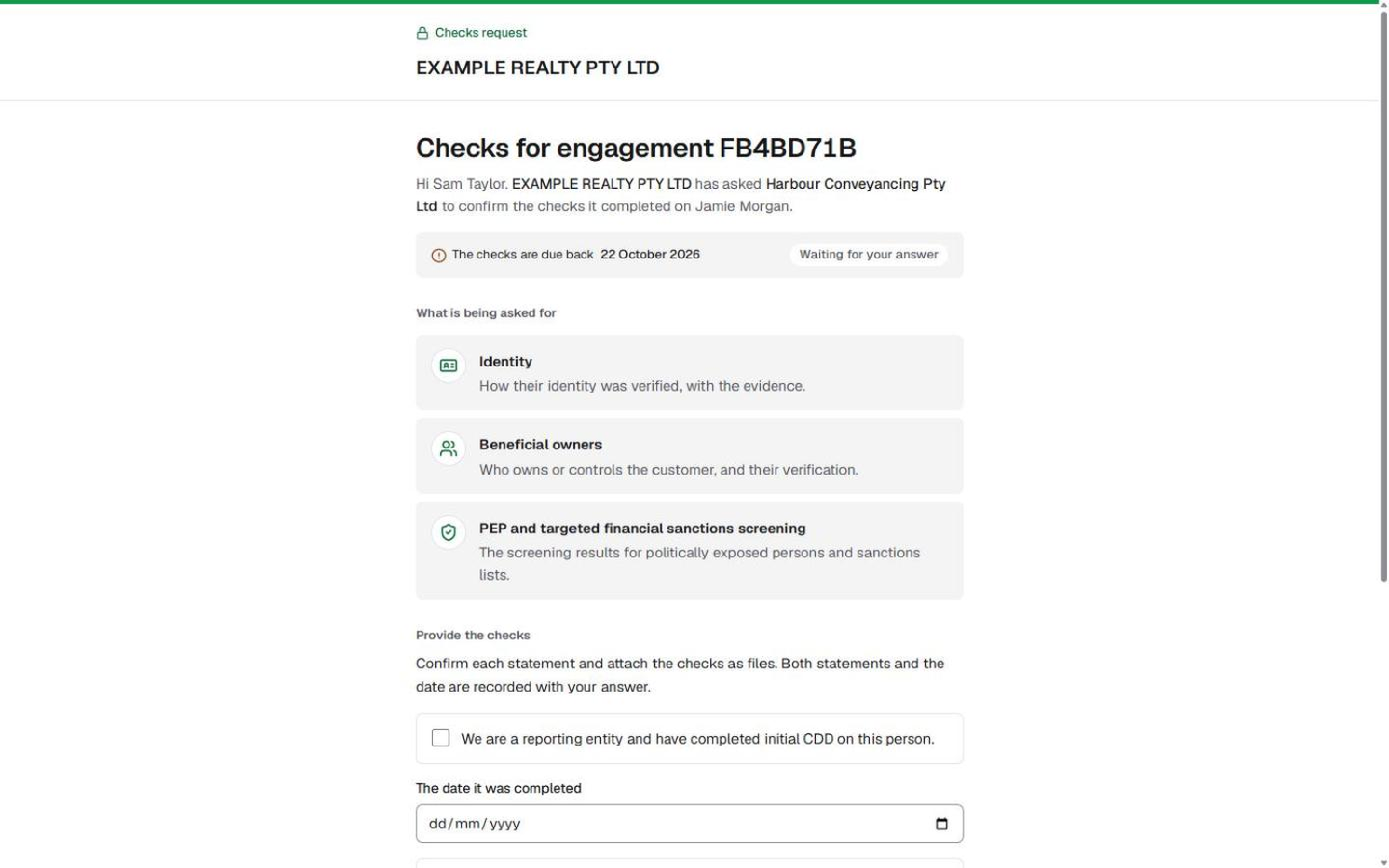
- Open the link from the email. The page names the firm that asked, your firm, the person the checks are about, and the engagement reference.
- Have your records for that person to hand: how you verified their identity, and anything else the request lists.
Steps
- Read the top of the page: Checks for engagement and its reference, who asked, and The checks are due back with the date.
- Read What is being asked for. Identity (how their identity was verified, with the evidence) is always there. The request may also ask for Beneficial owners, PEP and targeted financial sanctions screening or Source of funds.
Provide the checks
- Under Provide the checks, tick We are a reporting entity and have completed initial CDD on this person.
- Enter The date it was completed.
- Tick We will keep the records for 7 years.
- Choose Add a file and attach your records, such as the verification report or certified ID copies. PDF, photos, Word and Excel files are accepted. Use Add another file for more, and the cross beside a file to remove it before you send.
- Choose Send the checks. Until everything is in, the line under the button lists what is still needed, for example attach at least one file.
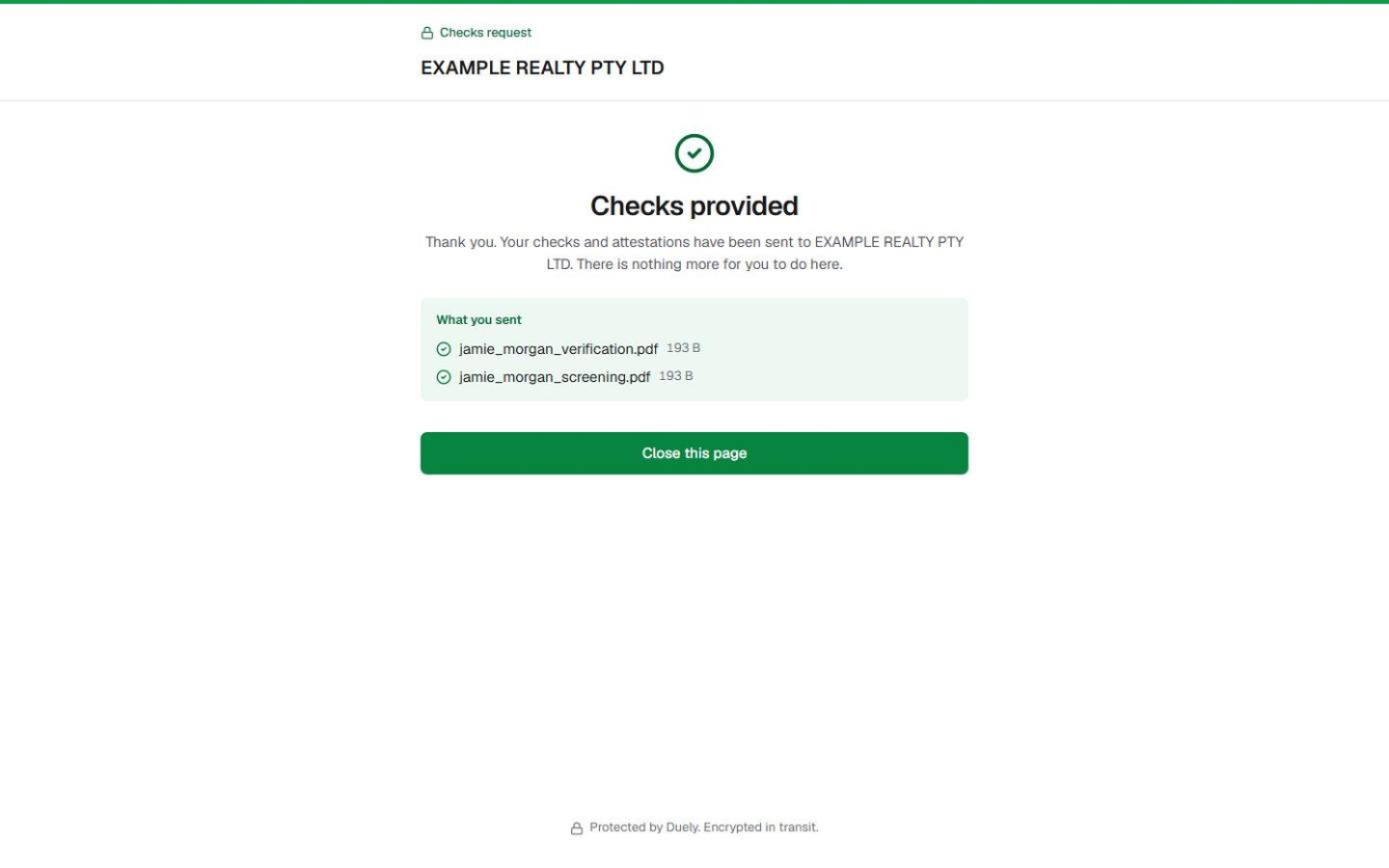
- The page reads Checks provided and lists What you sent. There is nothing more to do.
If you can't provide them
- At the foot of the page, choose We can't provide this.
- Optionally, say Why can't you provide them? This goes straight to the firm that asked, for example "we have no records for this person".
- Choose Send this response, or Go back if you change your mind. The page reads Response sent. The firm that asked may contact you to talk it through.
What Duely checks
- Both statements, the date and at least one file are needed before Send the checks works.
- One answer per request. Once you have provided or declined, or the request has otherwise finished, the link shows This request is no longer active. If you expected to answer it, contact the firm that sent it.
- A broken or mistyped link shows We could not open this request. Ask the firm for a new one.
What happens next
The firm that asked sees your answer on its engagement straight away: the files you sent, the statements you confirmed and the date, or your reason for declining. If it relies on your checks, it may later ask you for copies of the data you used to verify the person.
The law
Last updated: 8 October 2026
These pages are general information about the Duely product and the AML/CTF obligations it supports. They are not legal advice and do not cover your firm's particular circumstances.