Rely on another firm's checks
Use this page to use identity checks another firm has already done on your customer, instead of repeating them. Admins and the AMLCO manage Reliance partners in Settings, a senior manager named in your program approves written arrangements, and anyone who works on engagements can record reliance on one.
There are two ways to rely on another firm:
- Under a written arrangement: an agreement with a partner firm that covers every customer you share. Set it up once, then pick the partner on each engagement.
- Case by case: for one customer, with your reasons recorded on that engagement and approved before you use the checks.
Before you start
- Your AML/CTF program must allow relying on other firms. If it doesn't, these options don't appear. See Change your program.
- For a written arrangement, have the signed agreement and know how you confirmed each condition.
Steps
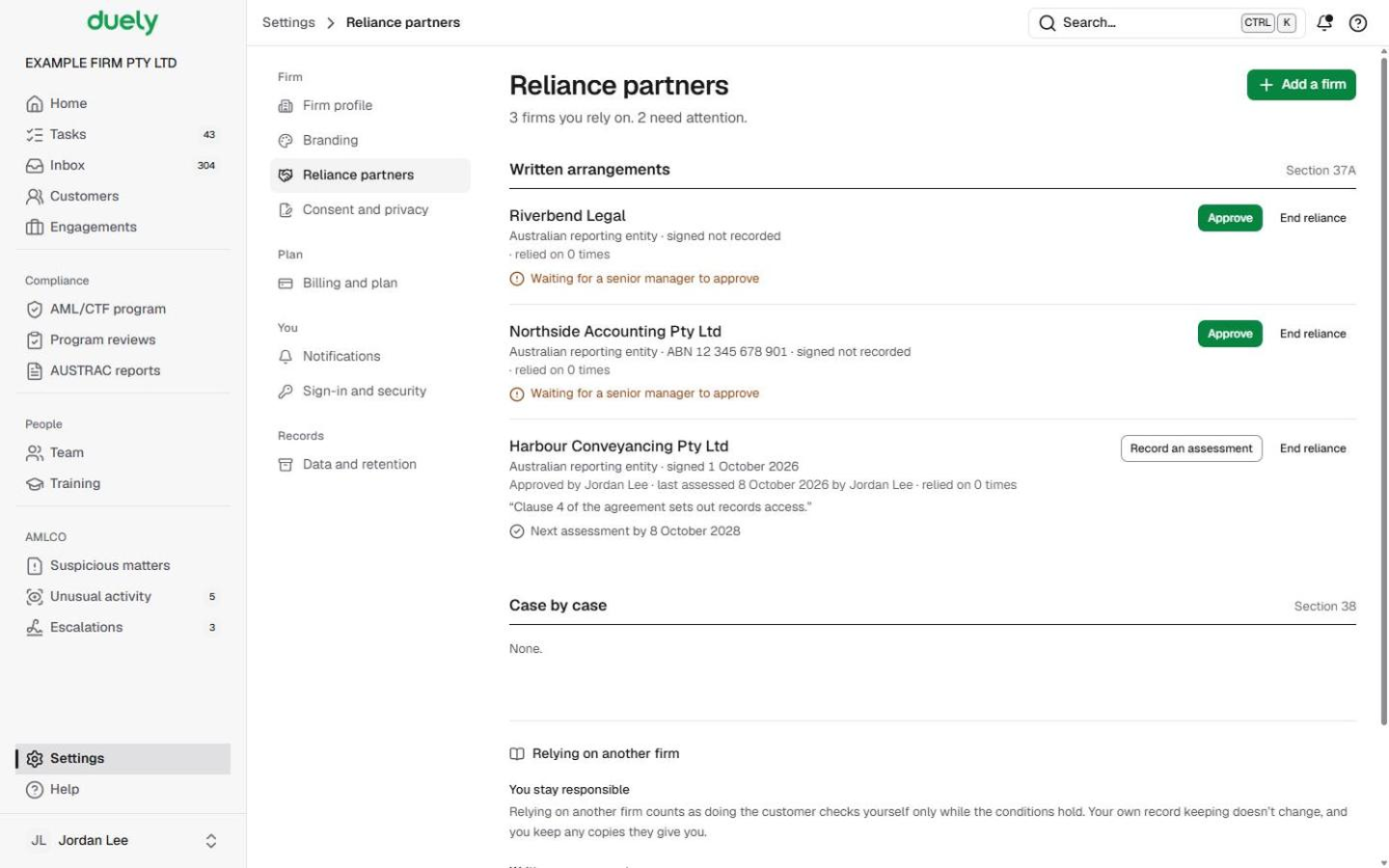
Add a written arrangement
- Open Settings, then Reliance partners, and choose Add a firm.
- Under How you rely on them, choose Under a written arrangement.
- Enter the Firm name, choose whether They are An Australian reporting entity (with the ABN, optional) or Regulated overseas (with the Country), and enter Arrangement signed on and a Contact for record requests.
- Tick all six conditions under Before you rely on them, confirm all six, and record How you checked, for example the agreement clause you read.
- Choose Add. If you aren't a senior manager, the button reads Send for approval, and the arrangement shows Waiting for a senior manager to approve until one chooses Approve.
Keep it assessed
- Each arrangement shows its next assessment date, in amber as it gets close and red once Assessment overdue. Choose Record an assessment.
- Tick each condition as it stands today and write Notes on what you looked at. These notes are your written record of the assessment.
- Choose Record: conditions met. If any condition isn't met, the button reads Record: not met: saving it stops reliance, tells your team, and the arrangement shows Not met: don't rely on them until a later assessment finds every condition met.
- To stop relying on a firm, choose End reliance. Engagements that already relied on them keep that record. Show ended lists ended arrangements.
Rely on a partner firm on an engagement
- Open the engagement's Customers and people tab and, beside the customer, choose Rely on a partner firm.
- Under Which partner firm did the checks?, choose the partner. Partners that can't be used now are listed under Can't be relied on now, each with the reason (for example waiting for approval, or overdue for an assessment).
- Tick that you've received the customer's identity information from the partner under the arrangement, add a Note (optional) and choose Record reliance.

Rely on another firm case by case
- If your program allows case-by-case reliance, choose Rely on another firm's checks beside the customer instead.
- Enter Which business did the checks?, tick each condition under Confirm each condition, say Why rely on them? and choose Send for approval.
- The person your program names for this decides it in Tasks. Until then the customer's line reads waiting for approval.
If you are a real estate agent asking the other side's agent or conveyancer for their checks, use Ask the other firm for checks instead.
What Duely checks
- A written arrangement can only be picked when it is usable: approved by a senior manager, assessed, not overdue for its assessment, and not suspended or ended.
- All six conditions must be ticked to add a written arrangement.
- Case-by-case reliance needs every condition confirmed and a reason, and the checks count only once approved.
- A customer can't have both a delayed start and reliance on the same engagement, and reliance isn't offered once their checks are done.
- The written record of an assessment is due within 10 business days. The dialog shows the date.
What happens next
The customer's line on the engagement shows Reliance: on the partner's checks under your written arrangement, or on the other firm's checks with its approval state. Screening and the rest of the engagement carry on as usual. Keep any copies the other firm gives you until 7 years have passed without your firm providing any designated service to that customer (s 114).
The law
Last updated: 8 October 2026
These pages are general information about the Duely product and the AML/CTF obligations it supports. They are not legal advice and do not cover your firm's particular circumstances.