Customer onboarding at a glance
Use this page to see the whole process for an individual customer on one page. Each step links to the page that covers it in detail. Companies and trusts add a structure step first; see Add a company and Add a trust.
The steps
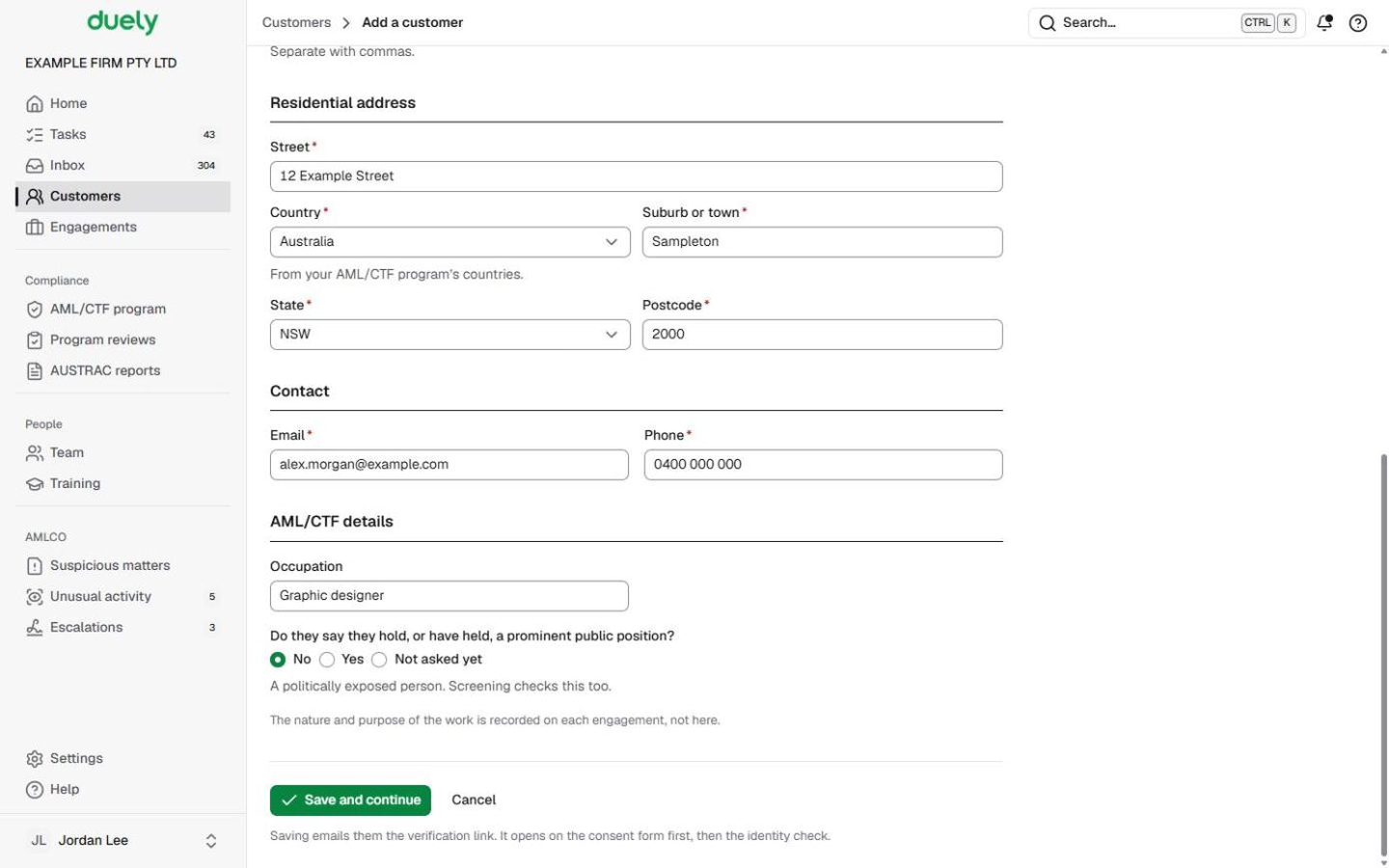
- Add the customer. Choose Add a customer, then A person, and fill in who they are, their address and contact details. Saving sends them the identity check link. See Add a person.
- They use the one verification link. The link opens your firm's consent form first. Once they agree, it continues to the ID scan and a selfie on their phone. You follow progress on the Identity step and can send a reminder. See Identity checks.
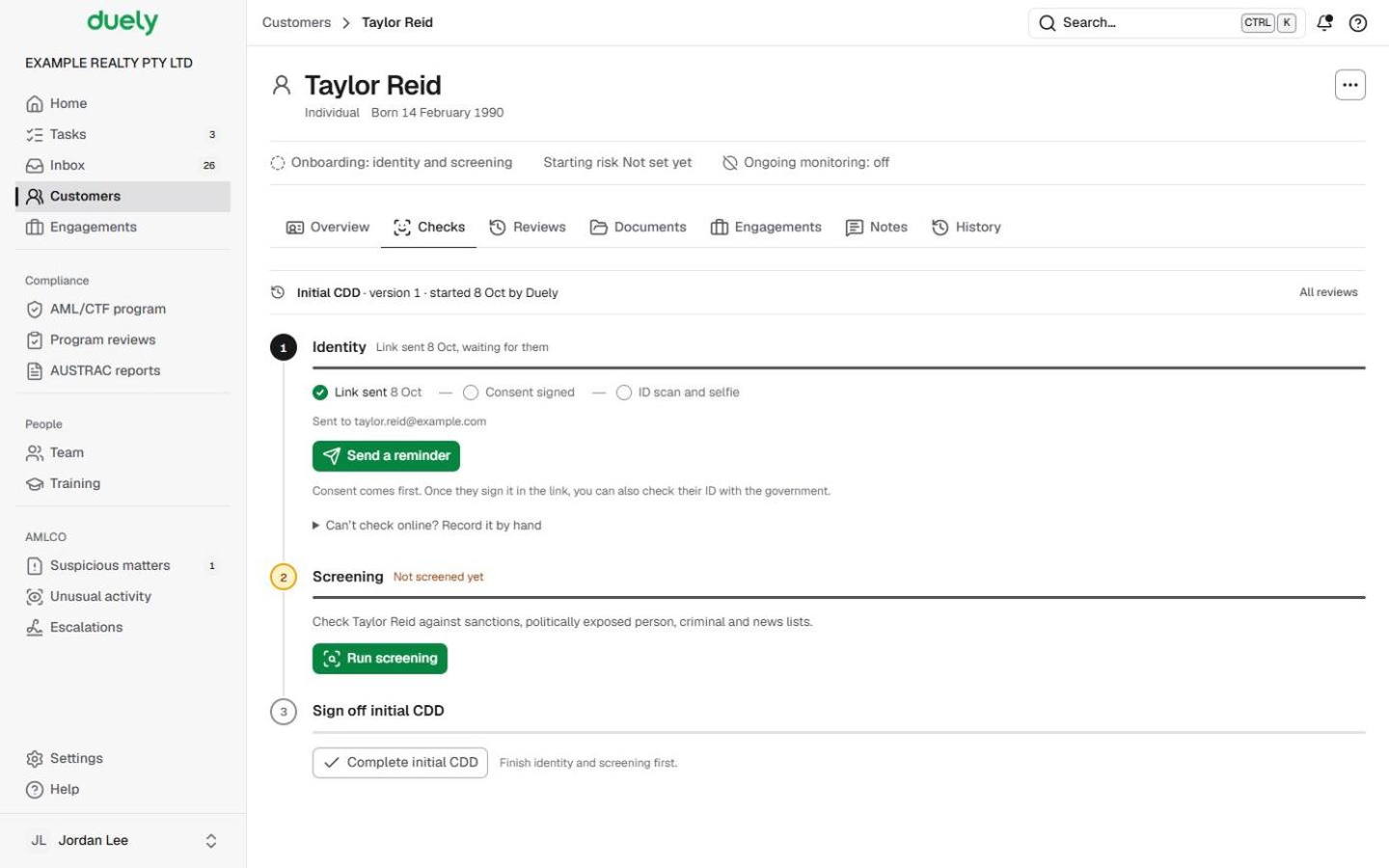
- Check their ID with the government, if your firm uses it. This option appears once the person has signed the consent. See Identity checks.
- Or record the check by hand. If they can't check online, record how you confirmed their ID, the document details and the result. See Identity checks.
- Screen them and decide each match. Screening covers sanctions, politically exposed person, criminal and news lists. You open a list and decide its possible matches one at a time, answering a few guided questions. See Screening and matches.
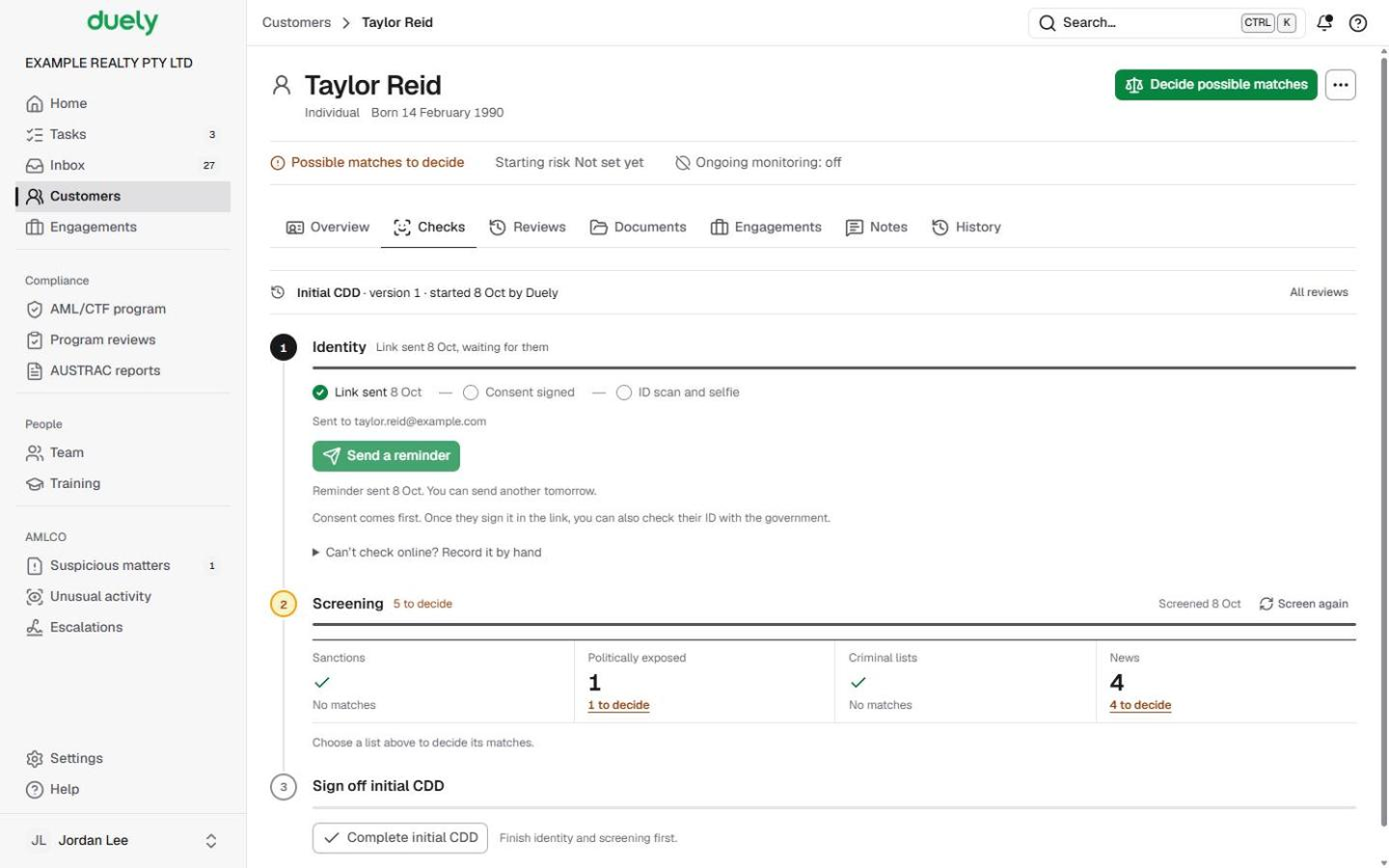
- Sign off initial CDD. When identity and screening are finished, Complete initial CDD is ready. You confirm the starting risk and the customer is ready for engagements. See Complete initial CDD.
Last updated: 8 October 2026
These pages are general information about the Duely product and the AML/CTF obligations it supports. They are not legal advice and do not cover your firm's particular circumstances.