Add a person
Use this page to add a person as a customer: an Individual or a Sole trader. Anyone in your firm who can open Customers can do it, and a customer record needs no approval.
Before you start
- Customers stays locked until your AML/CTF program is approved. Finish your AML/CTF program first.
- You can only add the customer types your program covers. If a type is missing, the page says which types your program covers and links to the program.
- Have the person's email address ready. The identity check link goes there.
Steps
- Open Customers and choose Add a customer.
- Under Who is the customer?, choose A person.
- If your program covers both kinds of person, the page asks Are they in business? Choose Individual (a person acting for themselves) or Sole trader (a person running a business in their own name). If your program covers only one, Duely picks it for you.
- Fill in Who they are: Given name, Middle names, Family name, Date of birth and Other names they're known by. A sole trader also has a Trading name and an ABN, which is required.
- Fill in the address. It is Residential address for an individual and Address for a sole trader: Street, Suburb or town, State, Postcode and Country. Only Australia and the countries your program covers can be chosen.
- Under Contact, enter Email and Phone. Both are required.
- Under AML/CTF details, enter their Occupation and answer Do they say they hold, or have held, a prominent public position? with No, Yes or Not asked yet. If you choose Yes, say Which position?
- Choose Save and continue. The customer opens on their Overview tab, with an Onboarding list of what is left.
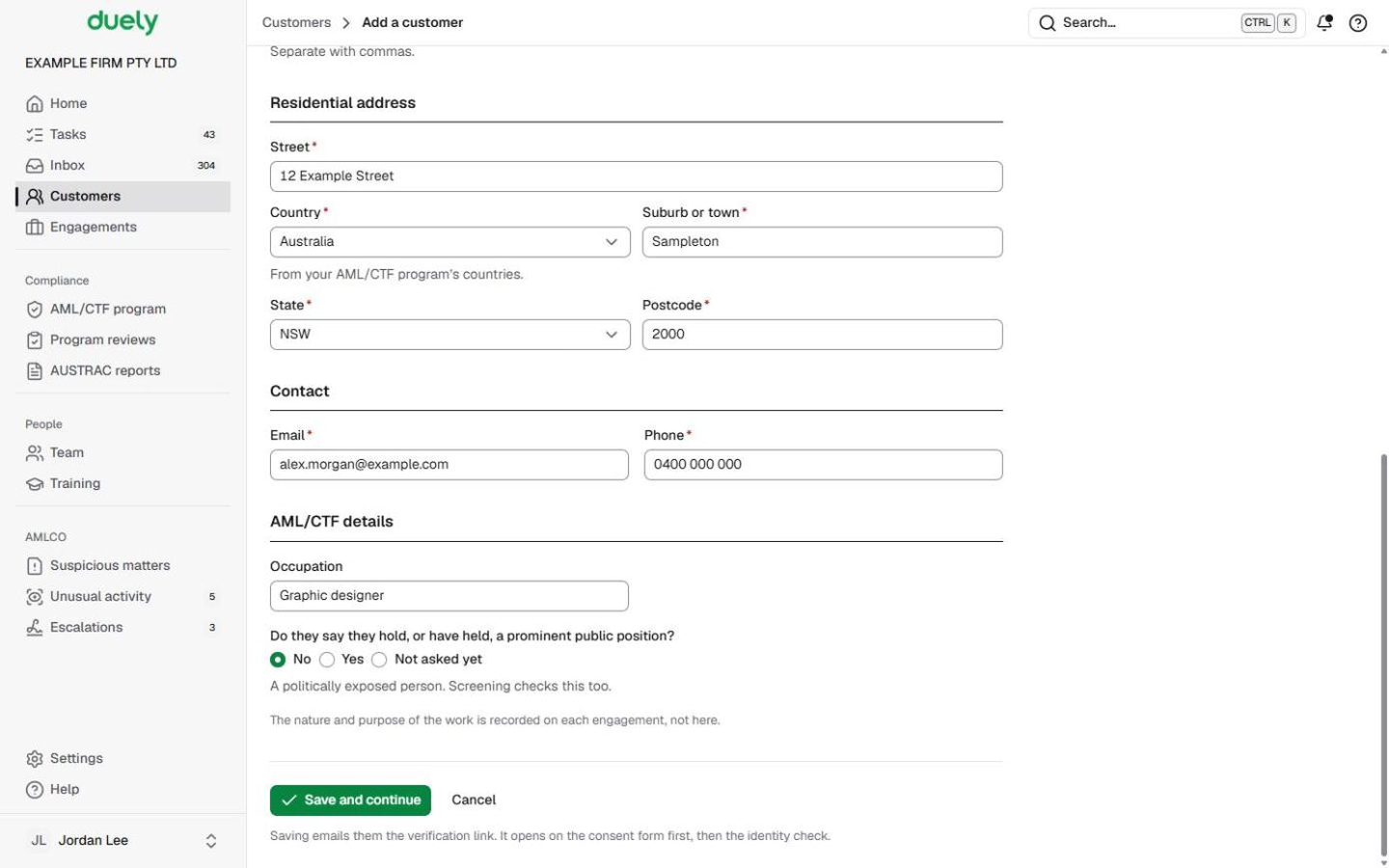
The nature and purpose of the work is not asked here. You record it on each engagement.
What Duely checks
- A type your program doesn't cover. It can't be chosen.
- Missing or impossible details. Given name, family name and date of birth are required, and a date of birth can't be in the future. A sole trader needs their ABN, and an ABN has 11 digits.
- A duplicate. If another customer in your firm already has this email address or ABN, Duely stops and links to that customer instead.
- An email address that can't receive mail. The address is refused, with the reason shown under Email.
- A declared public position with no detail. If you answer Yes, the position is required.
What happens next
Saving sends the person one email. Its link opens your firm's consent form first, and once they agree it continues to the ID scan and selfie. You follow it on the Checks tab, under Identity.
The Onboarding list on the Overview tab shows the steps in order: Details, Identity and screening, Documents (recommended, never blocks) and Complete initial CDD. The button at the top of the customer page always points at the next one.
Continue with:
If you chose the wrong type, use Change type from the More actions menu. The record, its documents and history stay. See Deactivate or change type.
The law
Last updated: 8 October 2026
These pages are general information about the Duely product and the AML/CTF obligations it supports. They are not legal advice and do not cover your firm's particular circumstances.